

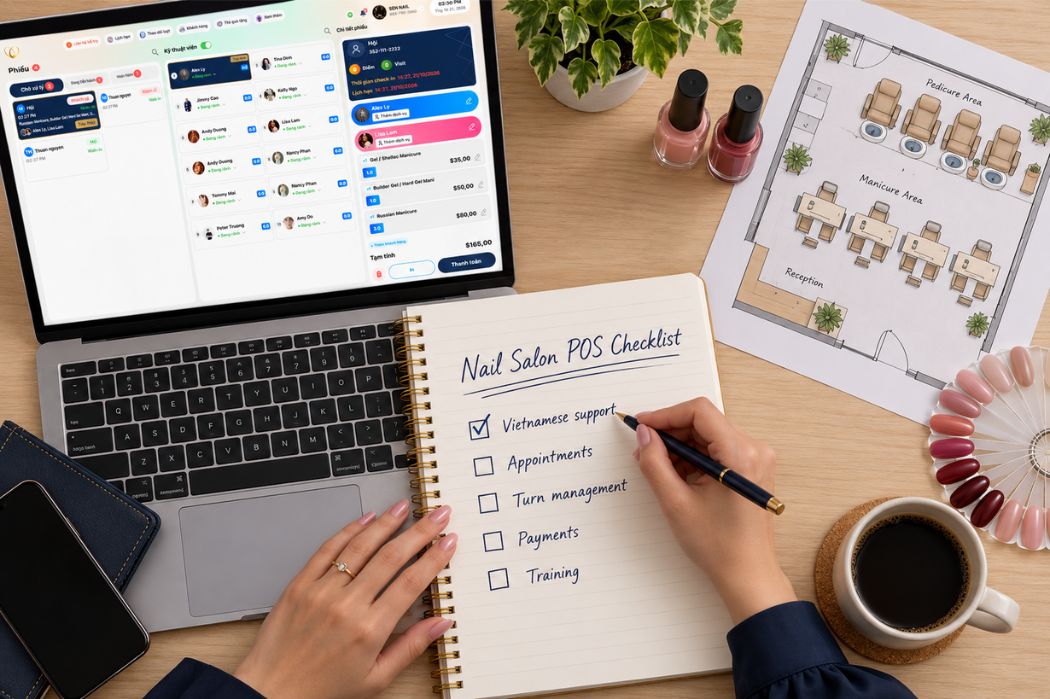
Choosing a Vietnamese nail salon POS system means finding software your team can use confidently during a working shift. Start with three priorities: language options that fit each role, workflows that match your salon, and support your staff can reach when they need help.
In a Vietnamese-owned nail salon in the United States, those needs may differ across the team. An owner may prefer discussing setup in Vietnamese, a receptionist may work mainly in English, and technicians may have their own language preferences. Customers also need clear service names, booking instructions, and appointment messages.
This guide explains how to evaluate those needs alongside appointments, walk-ins, technician turns, checkout, and daily reporting. Use the examples and demo checklist to assess how a POS would work in your salon before making a decision.
What Should You Look for in a Vietnamese Nail Salon POS System?
Look for a practical fit across language, daily operations, and staff support. A Vietnamese-language sales conversation can help you get started, but your decision should also account for the screens your team uses, the tasks each person handles, and the assistance available after installation.
Language Options for Owners, Staff, and Customers
Evaluate software language, support language, and customer-facing communication separately. Vietnamese-speaking assistance does not necessarily mean every POS screen, Mobile App feature, or online booking page is available in Vietnamese.
For example, an owner who prefers Vietnamese may need help understanding settings and reports, while an English-speaking receptionist needs clear appointment and checkout screens. Customers using online booking need service descriptions and instructions they can understand. Identify these needs by role before reviewing a provider’s language options.
Workflows That Match Your Salon’s Daily Operations
Language support is one part of the decision. Your team also needs to manage appointments, walk-ins, technician turns, service changes, and checkout using your salon’s operating rules.
Consider a scheduled customer arriving while two walk-ins are waiting and a technician is taking a break. The receptionist needs to review the schedule, understand technician availability, and explain the next assignment clearly to the team.
Use situations like this to evaluate the Senverse POS system for nail salons. Ask to see how the relevant screens and settings support the way your salon handles each visit.
Training and Support That Fit Your Team
Identify who needs training and which tasks they need to learn. Owners may focus on settings and reports, receptionists on bookings and tickets, and technicians on the information relevant to their work.
If your team needs Vietnamese-speaking assistance, confirm which training and support options are available in Vietnamese. Review contact methods and availability separately from general support hours so staff know how to request help during a shift.
Check Language Support Beyond the Sales Conversation
Test language support through the tasks your team will perform. Choose a few common actions, have the provider demonstrate them, and then let the responsible staff member repeat the steps in their preferred available language.
For a broader selection framework, review how to choose a nail salon POS system, then use this guide to evaluate your team’s language, training, and support needs in more detail.
Test the Screens Each Staff Member Will Use
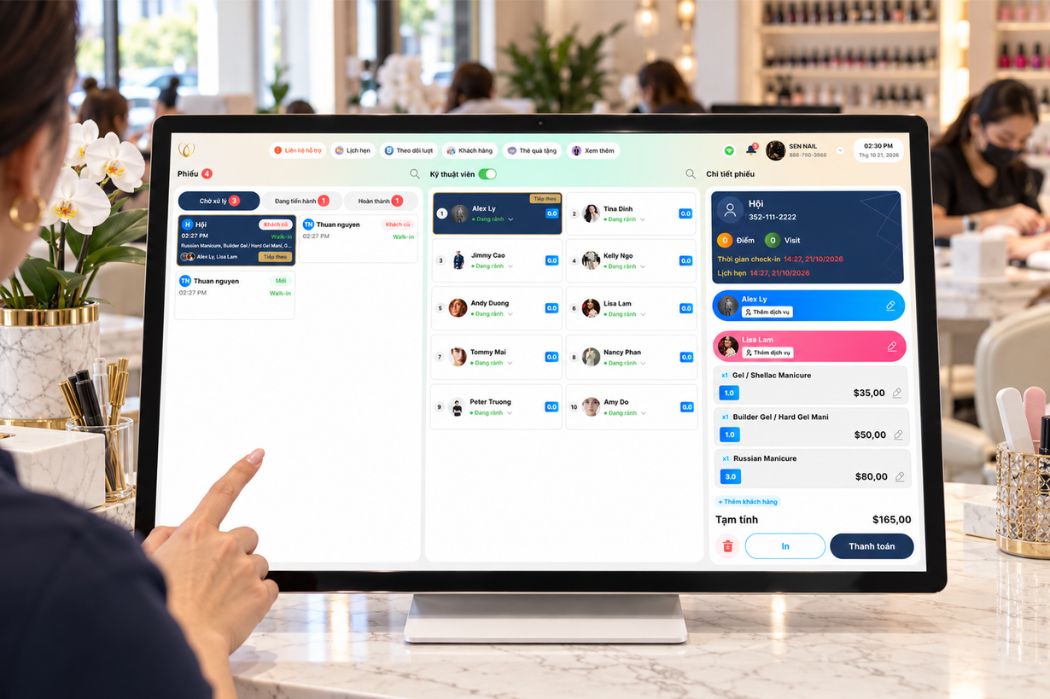
Start with the appointment calendar, service tickets, technician turns, checkout, and daily reports. Ask which screens are available in Vietnamese and review the actual interface rather than relying on a general description of bilingual support.
- Have the owner find a daily report and explain what its main fields mean.
- Have the receptionist locate an appointment and create a sample service ticket.
- Have the person managing turns identify who is available and review a technician’s current status.
- Check the language used in settings, instructions, and any messages encountered during these tasks.
If staff members prefer different languages, ask how language selection works and whether changing it affects other users or devices. Note any English terms your team will need to learn during training.
Walk Through a Support Request in Vietnamese
Use a specific operating question to understand the support process. For example: “Our receptionist entered the wrong service on a ticket. How can we request help in Vietnamese while the salon is open?”
Ask which contact method to use, what information staff should provide, and when Vietnamese-speaking assistance is available. Confirm whether setup and training questions follow the same process as urgent operating issues.
Before launch, keep the confirmed contact details and instructions where the owner and receptionist can find them easily.
Follow the Booking and Message Experience as a Customer
Review the customer-facing experience separately from the staff interface. If your customers primarily use English, walk through the available English booking journey even when your team prefers Vietnamese.
Choose a service, review the booking instructions, and check a sample confirmation or reminder. Look for service names and wording that match what your salon communicates at the front desk.
- Can customers understand the service names and descriptions?
- Are the steps for requesting an appointment clear?
- Do sample messages clearly communicate the appointment details and any next steps?
- Which language options are available, and who can update the customer-facing wording?
If your salon serves customers in both English and Vietnamese, ask how each supported language is selected and managed. Confirm the available options for booking pages and messages individually.
Test the Workflows Your Team Handles Every Day
Follow a complete customer visit from arrival to checkout. At each stage, identify who enters the information, who needs to review it, and what happens when the service or technician assignment changes.
For a team with different language preferences, check that each person can understand the information needed for their role. Use your salon’s service names and turn rules to make the walkthrough relevant to daily operations.
Manage Appointments, Online Booking, and Walk-Ins
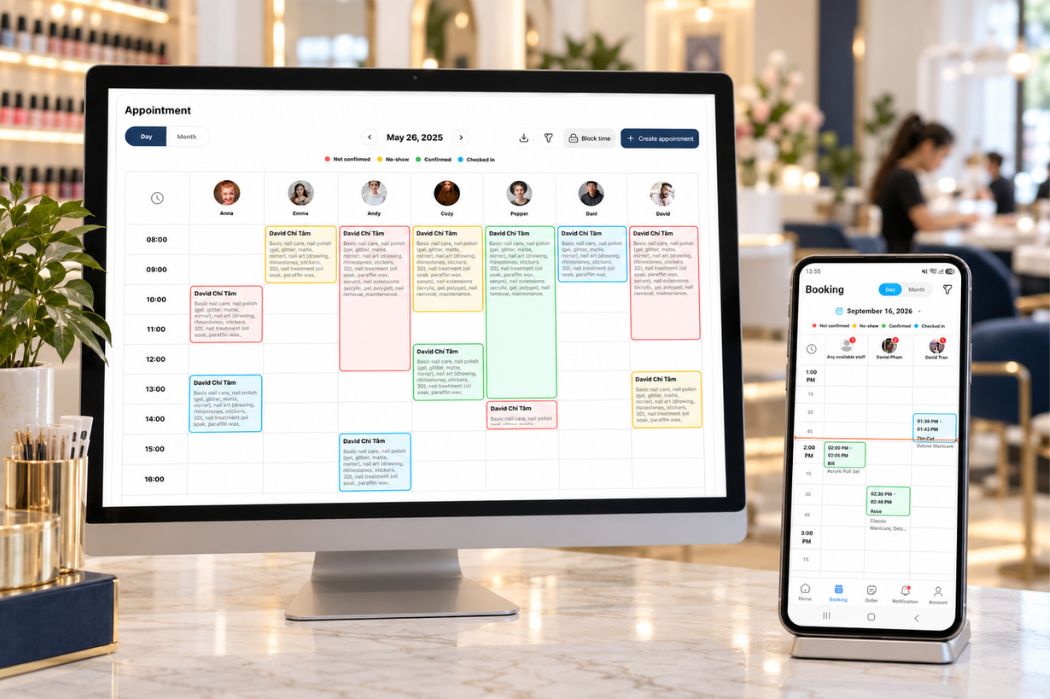
Start with a scheduled pedicure and a walk-in requesting a manicure. Ask the provider to show where the receptionist reviews each customer’s service request, appointment details, and technician preference.
Include an online booking in the walkthrough. Review how the request appears to staff and what the receptionist needs to check before handling the visit.
If customers book in English while staff discuss services in Vietnamese, review how your team will recognize the same service across booking details, tickets, and verbal handoffs. Ask how service names are configured and what language options are available.
Follow Technician Turns and Service Changes
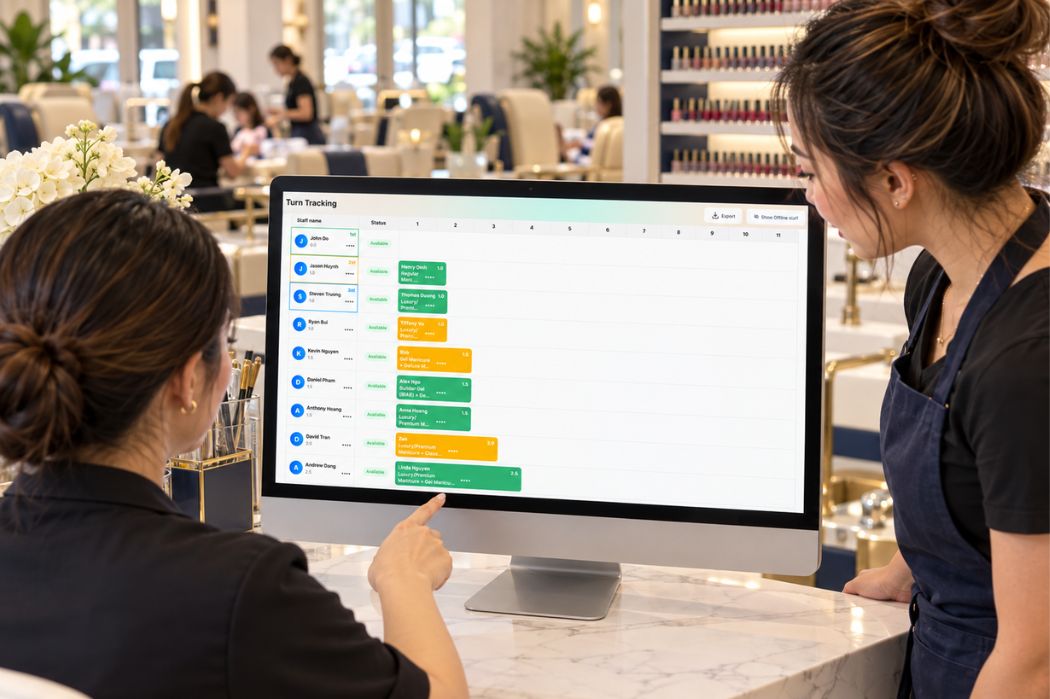
Explain how your salon assigns turns before reviewing the settings. Include rules based on service or price, requests for a specific technician, and temporary breaks.
Senverse supports Smart Turn Management with real-time turn tracking, settings by service, distribution based on service or price, and adjustments for changes during service. Review these options using your salon’s actual rules.
For example, a customer initially requests a manicure and later adds a pedicure. Ask how the receptionist updates the service details and handles any necessary technician or turn adjustment.
Have the person managing turns explain the updated assignment. Check that the team can identify the current status and understand why an adjustment was made.
Move from Service Tickets to Integrated Payments
Follow the updated ticket through checkout. The receptionist should be able to identify the final services, assigned technicians, and amount before starting the payment process.
Ask the provider to demonstrate how integrated payments connect to the ticket using the equipment and configuration proposed for your salon.
- Where does staff review the final service list and amount?
- How does staff correct a ticket before payment?
- Which steps are completed on the POS and payment terminal?
- Where does staff verify the payment and ticket status?
If another staff member takes over checkout, have that person review the ticket without relying on a verbal explanation from the person who created it. This helps you assess whether the recorded details are clear enough for a shift handoff.
Review Customer Information and Daily Reports
Ask the receptionist to locate a sample customer record. If your salon needs previous service details, visit notes, or other customer information, request a demonstration of whether and where each detail is available.
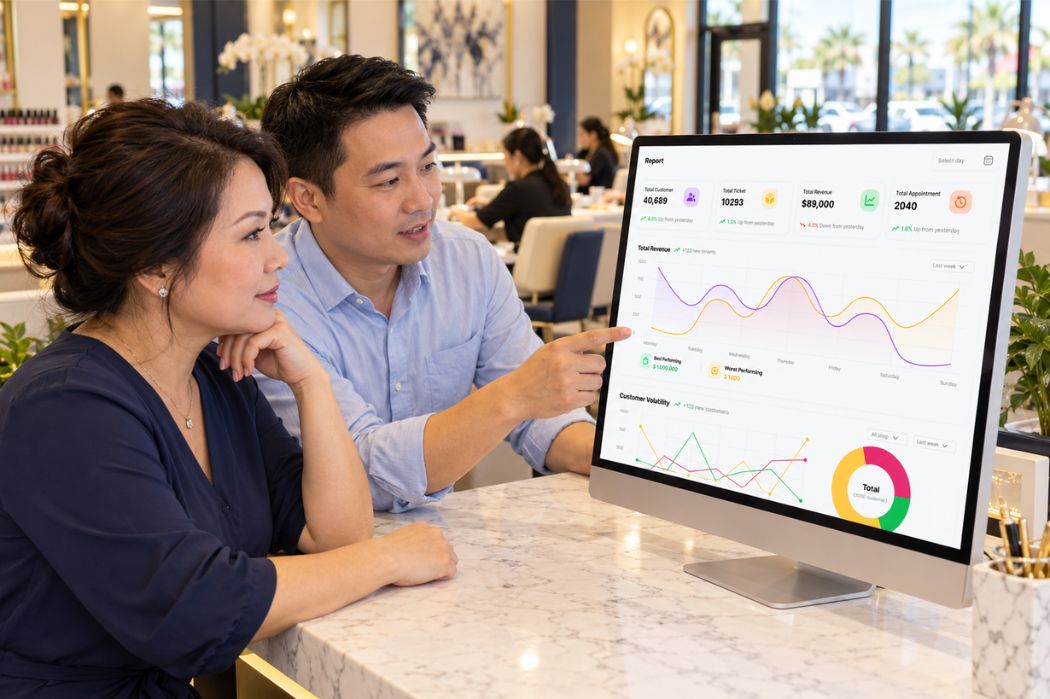
Then have the owner locate the reports used at closing. Review the date range, field labels, and meaning of each total relevant to the owner’s daily checks.
If the owner prefers Vietnamese, identify which report labels or explanations need language support during training. The owner should understand what each figure represents before using it to review salon activity.
Use sample records and transactions throughout the walkthrough. Treat the displayed names and totals as demonstration data.
Review Features That Support Work Beyond the Front Desk
Include internet interruptions, customer messages, and mobile access in your evaluation. For each feature, identify the tasks your salon needs, who will handle them, and any setup or connection requirements.
Check What Offline Mode Allows During an Internet Outage
Senverse includes Offline Mode. Ask which POS operations remain available without an internet connection and what staff should do when a task requires connectivity.
Walk through an interruption during a customer visit. Identify which steps the receptionist can continue, what information needs to be checked, and how to proceed when the connection returns.
- Which tasks remain available during the outage?
- Which features require an internet connection?
- What happens to information entered while offline?
- What should staff verify after connectivity returns?
- What separate connection requirements apply to card processing?
If staff prefer Vietnamese, ask for an explanation of the outage procedure in Vietnamese and have them repeat the main steps. Confirm payment behavior separately so the team understands how to handle checkout during an interruption.
Review SMS Marketing and Appointment Messages
Senverse supports SMS Marketing for promotions, appointment reminders, confirmations, review requests, and customer grouping or targeting. Review the activities your salon plans to use and ask how each one is configured.
For a Vietnamese-speaking owner communicating with English-speaking customers, preparing a message involves both operating the software and checking the customer-facing wording. Ask who can create, review, and send messages, and which language options are available.
- Review a sample appointment reminder and a promotional message in the language your customers use.
- Ask how recipients are selected and which customer grouping options are available.
- Confirm which messages require staff action and which scheduling or trigger options are supported.
- Review SMS charges and the provider’s instructions for consent and opt-out handling.
Use a draft message during the demonstration. Check the service names, appointment details, wording, and intended recipients before using the workflow with customers.
Confirm What Owners and Staff Can Do in the Mobile App
Senverse includes a Mobile App. List the information and actions each person needs on a phone, then request a demonstration of the relevant capabilities.
For example, an owner may want to review salon activity while away from the front desk, while a technician may need information related to their assigned work. Treat these as requirements to check during the demo and confirm which tasks the app supports for each role.
- What information can owners and staff view?
- Which actions are available to each role?
- Which screens and instructions are available in Vietnamese?
- What device and internet connection requirements apply?
- Which tasks need to be completed at the POS?
Have each intended user try the relevant tasks on a supported phone. Note any labels or steps that need explanation during training.
Make Sure Your Team Can Learn the System
Use the demonstration to identify what each person needs to learn before launch. After watching a workflow, let the staff member responsible for it repeat the steps and explain what they would do if something changed.
Let Each Person Practice Their Own Tasks
Give the owner, receptionist, and a technician time to practice the tasks relevant to their roles. Use sample data and the language options available in the proposed setup.
- Owner: Find a daily report, select the reporting period, and explain the figures used at closing.
- Receptionist: Locate an appointment, create a ticket, update a service, and follow the checkout process.
- Technician: Find and interpret the work information available to their role.
- Person managing turns: Review technician status and explain an assignment using the salon’s rules.
Note where each person needs help: understanding a label, finding a screen, choosing the next action, or correcting an entry. Use those observations to shape the training plan.
Build a Training Plan Around Those Gaps
Request training that covers the tasks your team found difficult, along with the workflows needed for the first working day. Confirm who provides the training, how it is delivered, and which parts are available in Vietnamese.
For example, a receptionist may understand routine ticket entry but need more practice with service changes. An owner may be comfortable navigating reports but need a Vietnamese explanation of specific report fields.
Include practice with corrections and interruptions, such as an incorrect service entry, a technician taking a break, or an internet outage. Ask whether reference materials are available for staff to review afterward.
Prepare Staff to Request Help After Setup
Senverse offers 24/7 support. Confirm the available contact channels and Vietnamese-speaking support availability during your consultation.
Before launch, assign a primary contact at the salon and show staff where to find support instructions. Practice describing a sample issue with the screen name, the task being attempted, and any message displayed.
Use sample information when practicing a support request. Follow the provider’s instructions for sharing screenshots or other details when an actual issue occurs.
Questions to Ask Before Switching Your Salon’s POS
Before choosing a start date, confirm which records can move to the new system, who will review the setup, and what must be ready for launch. Assign a contact at your salon who can coordinate with the provider and explain the final setup to your team.
Which Existing Records Can Be Transferred?
List the information your salon needs to keep, such as customer records, future appointments, service lists, technician information, and gift card balances.
Ask your current provider what can be exported, then confirm what the new provider can import. Review supported file formats, limitations, any transfer fees, and who will check the imported information.
- Which records and fields can be transferred?
- Which historical information will remain in the old system?
- How will Vietnamese names and service text be checked?
- Who will review missing or duplicate records?
- How will appointments or other changes made after the initial export be handled?
Confirm the transfer scope before relying on it for launch. Ask how to retain access to records that cannot be moved.
Who Will Check Services, Prices, and Technician Settings?
Have someone who understands your salon’s daily operations review the setup with the provider. Check service names, prices, technician details, and turn settings against the salon’s approved information.
If your team uses Vietnamese names or shorthand for services, agree on how those terms relate to the service names entered in the POS and shown to customers. Confirm the supported naming and language options before finalizing the list.
Run a sample visit using the completed settings. Have the receptionist select services and prepare a ticket, then have the owner check the details. Record any corrections and assign someone to verify them before launch.
What Should Be Ready Before the First Working Day?
Review launch readiness with the provider and the staff members responsible for opening the salon.
- Equipment is installed and the proposed payment setup has been tested.
- Staff can access the system and find the screens needed for their roles.
- Services, prices, technician settings, and transferred records have been reviewed.
- Upcoming appointments have been checked against the salon’s current schedule.
- Staff have practiced the main workflows and know how to request help.
- The team understands the internet outage procedure and the agreed plan for launch-day issues.
Keep the detailed preparation process in one place. Use the nail salon POS migration checklist to organize data transfer, setup reviews, staff training, and launch responsibilities.
Use These Scenarios During Your POS Demo
Bring your service list, technician turn rules, and staff language preferences to the demo. Use the scenarios below to check how the proposed setup handles your salon’s work.
For each scenario, record what was demonstrated, what your team could complete independently, and which questions still need an answer.
| Scenario | What to Prepare | What to Verify |
|---|---|---|
| Staff use different languages | List each person’s role, preferred language, and main tasks. | Staff can understand the relevant screens and complete their tasks using the available language options. Any training needs are recorded. |
| Appointments and walk-ins arrive together | Prepare a scheduled visit, a walk-in request, and a request for a specific technician. | The receptionist can identify each request, review technician status, and follow the salon’s assignment rules. |
| A customer adds or changes a service | Choose a service change that may require a different technician or turn adjustment. | Staff can update the ticket and explain any supported assignment or turn changes. |
| Another staff member takes over checkout | Use a sample ticket containing an updated service list and technician assignment. | The person handling checkout can review the final details, follow the proposed payment workflow, and locate the completion status. |
| The internet connection is interrupted | Identify the tasks your front desk would need to perform during an outage. | Staff understand supported Offline Mode tasks, separate payment requirements, and the checks needed when connectivity returns. |
| Customers book and receive messages in English | Select a sample service, booking request, and appointment message. | Customer-facing wording is clear, and staff understand how the booking and message details relate to the salon’s service list. |
Mark each item as demonstrated, needs follow-up, or unavailable in the proposed setup. If a live test is unavailable, record what was explained and request the relevant instructions before making your decision.
Review unresolved items with the provider after the session. Give particular attention to tasks your team needs on the first working day.
What to Review in a Senverse POS Demo
Bring your completed checklist to a Senverse POS demo. Share your team’s language preferences, service list, technician turn rules, and any concerns about replacing your current system.
Focus on Your Salon’s Priority Workflows
Choose the situations that matter most to your team. Request a connected walkthrough of appointment management, customer check-in, Smart Turn Management, service tickets, and integrated payments, with time for staff to practice the relevant steps.
Review the Senverse POS walkthrough before the session to identify the parts of the booking-to-checkout process you want to explore.
Leave with Clear Setup and Cost Information
Ask for a summary of the proposed configuration, including the language options demonstrated, training arrangements, support contacts, and any data-transfer assistance. Record unresolved questions and who will follow up.
Review software, hardware, setup, SMS, and payment processing costs as applicable. Confirm what is included, what costs extra, and any terms that affect your decision.
Choosing a POS for a Vietnamese-owned nail salon starts with your people and daily operations. Use the demo to assess whether the proposed setup fits how your team communicates, serves customers, and manages the salon.
Book a Demo to discuss your salon’s workflows, language preferences, and setup needs with the Senverse team.