

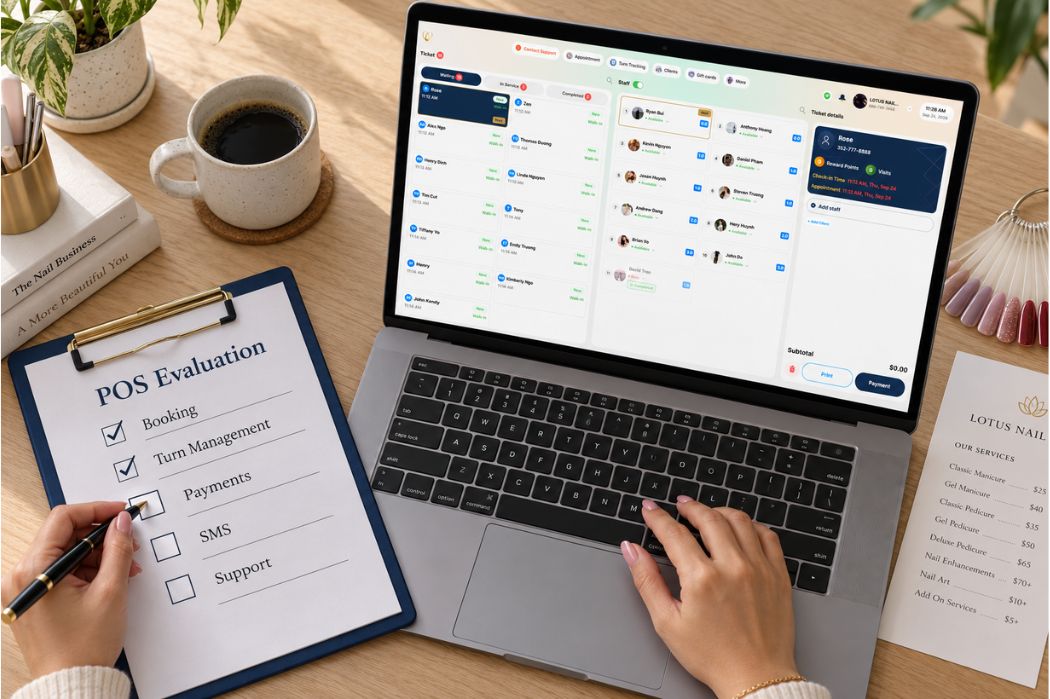
The best POS system for a nail salon should fit how your salon actually works: how clients book, how the front desk handles walk-ins, how technicians receive assignments, and how completed services move to checkout. It should also give owners useful information for managing the business and staying connected with clients.
A feature list is a starting point. To understand whether a system fits your salon, you need to see those features work together using your service menu, turn rules, and everyday situations.
This guide explains what to evaluate and how to test it, using Senverse as a practical example. You can use the scenarios and checklist below to prepare for a demo and record the questions you need answered before deciding.
How to Choose the Best POS System for Your Nail Salon
The best POS system for your nail salon should meet your essential daily requirements, fit your budget, and be manageable for the people using it. Start with the tasks that cause the most difficulty at your front desk, then evaluate the capabilities that address them.
Use the table below to connect your salon’s needs with the criteria that matter most.
| Your salon’s situation | What to prioritize | What to verify before choosing |
|---|---|---|
| Walk-ins arrive while technicians are serving scheduled clients | Customer Check-In and technician turn management | How staff record arrivals, review technician status, and apply your turn rules |
| Clients need a convenient way to schedule appointments | Online Booking and appointment management | How clients book and how the salon reviews and updates appointments |
| Internet interruptions affect front-desk operations | Offline Mode | Which POS tasks remain available, which services need connectivity, and what to check when the connection returns |
| Staff use separate steps to manage tickets and collect payments | Ticket Workflow and Integrated Payments | How a completed ticket moves into payment and how staff confirm the transaction result |
| Your salon wants to stay connected with clients | SMS Marketing and customer communication | Available message types, recipient selection options, and sending costs |
| The owner needs clearer information for daily review | Dashboard and Reporting | Whether the available reports provide the service, ticket, and technician information the owner needs |
| Your team is learning a new system | Ease of use, training, and support | Whether daily users can complete essential tasks and access help when needed |
Treat essential requirements as decision points. If a system does not support a workflow your salon depends on, additional features may not make it a suitable choice.
Once those requirements are covered, review the total cost, equipment, setup, and training involved. Use a demonstration to verify the workflows that matter most before making a commitment.
What Should a Nail Salon POS Help You Manage?
A nail salon POS should help your team follow each client’s visit from booking or arrival through service and checkout. Evaluate how information moves between those stages and where staff still need to enter it again or clarify it verbally.
Keep Appointments and Walk-Ins Visible to the Front Desk
The receptionist needs to understand who is expected, who has arrived, and what service each client needs. An appointment and a walk-in may enter the process differently, but both need a clear next step.
For example, a walk-in requesting a pedicure arrives shortly before a scheduled appointment. The front desk should be able to review the relevant appointment and technician information before deciding how to accommodate the walk-in.
Keep Service and Technician Details Clear During the Visit
Once a client begins receiving services, staff need an accurate record of the work and the technician responsible. If the client changes a service or receives services from another technician, the ticket should reflect what was actually performed.
Consider a client who books a manicure and adds a pedicure after arrival. Evaluate how staff record the additional service and identify the technician performing each part before checkout.
Carry Accurate Service Information Into Checkout
At checkout, the receptionist needs to review the completed services and confirm the amount due. Evaluate whether the ticket provides the information needed to proceed without reconstructing the visit from handwritten notes or conversations.
For Integrated Payments, follow the process through to the transaction result. Confirm how staff distinguish a completed payment from one that still needs attention.
Make Completed Activity Useful for Owner Review
After checkout, the owner may need to review a ticket, understand which services were recorded, or identify the technician associated with the work. Check whether the available records answer those questions clearly.
Customer communication is another area to evaluate. Confirm which information and tools are available for appointment messages, promotions, or review requests, along with any separate setup and sending costs.
Explore the Senverse POS system for nail salons for an overview of its capabilities. Use your salon’s daily workflow to decide which areas need closer evaluation.
Define Your Salon’s Priorities Before Evaluating a POS
Write down your requirements before the demo. A short list of real problems gives the presentation a practical direction and makes the results easier to assess.
Identify Your Front-Desk Bottlenecks
Think about a recent busy day. Where did the receptionist have to stop, ask someone a question, or write information outside the system?
Examples might include:
- Finding an appointment while answering the phone.
- Checking who should receive the next walk-in.
- Confirming which technician performed a service.
- Updating a ticket after a client changed services.
- Finding information needed for checkout.
Choose the problems that occur most often or create the most confusion. Ask to see those tasks demonstrated.
Document Your Turn and Service Rules
Your turn rules are important inputs for evaluating the system.
Prepare examples showing how the salon handles service categories, service prices, requested technicians, and temporary absences. If your team makes exceptions, write those down too.
For example, explain what should happen when a technician pauses their availability while other technicians continue taking clients. The presenter can then show how the proposed setup would handle that situation.
List What Each Team Member Needs to Do
Evaluate the system from the perspective of the people who will use it.
| Team member | Tasks to review |
|---|---|
| Owner or manager | Review activity, check reports, and investigate questions |
| Receptionist | Manage appointments, receive clients, coordinate tickets, and handle checkout |
| Technician | Access the information and perform the actions required for their role |
Have the presenter explain the workflow for each role. Where possible, let your team try representative tasks themselves.
Separate Essential Features From Optional Tools
Mark which requirements are essential for your salon to operate.
For one salon, turn management may be the first priority. Another may need easier appointment scheduling or a clearer checkout process. A salon with unreliable Internet may place particular importance on Offline Mode.
Keep optional tools on the list, but evaluate essential workflows first.
For a broader guide to the selection process, read how to choose a POS system for your nail salon.
Key Capabilities to Evaluate in a Nail Salon POS
When choosing the best POS system for your nail salon, look beyond whether a feature appears on a list. Evaluate its scope, required setup, and limitations against the tasks your team performs every day.
Online Booking and Appointment Management
Evaluate both the client’s booking experience and the salon’s appointment management process. The information collected should help staff prepare for the visit and understand the requested services.
Confirm how the system handles your service menu, technician requests, and appointment changes. Identify any setup requirements or separate charges associated with Online Booking.
Customer Check-In and Ticket Workflow
Check whether staff can clearly identify the arriving client, requested services, and technician assignments. Service tickets should remain understandable when services change or more than one technician is involved.
Evaluate how staff find, update, and review a ticket before checkout. Note any information that must be recorded outside the POS.
Technician Turn Management
Assess how closely the available turn settings match your salon’s operating rules. Relevant criteria include service-based settings, distribution based on service or price, requested technicians, and temporary pauses.
Confirm which assignments the system determines and which decisions remain with the receptionist. Your team should understand how appointments, walk-ins, and service changes affect the turn process.
Offline Mode During an Internet Outage
Evaluate Offline Mode by the specific tasks that remain available during an outage. Ask for a clear explanation of its operating limits and the checks required when connectivity returns.
Confirm Online Booking, SMS, and card processing separately. Offline POS operation does not establish that these services remain available without an Internet connection.
Integrated Payments on the POS
Evaluate the connection between the service ticket, payment amount, and transaction result. Staff need to understand whether a payment is complete or requires further attention.
Confirm the required terminal, account setup, payment-related charges, and procedure for investigating interrupted or unclear transactions.
SMS Marketing and Customer Communication
Identify the message types your salon needs, such as promotions, appointment confirmations, reminders, or review requests. Confirm the available options for each purpose.
Review recipient selection, sending controls, applicable messaging requirements, and costs. Ask which functions are included and which require additional setup or an add-on.
Reporting and Commission Review
Evaluate reports against the questions the owner needs to answer. Relevant information may include completed services, ticket amounts, technician assignments, and records used for commission review.
If your salon uses different commission rates or calculation rules, confirm whether the system supports those rules directly or provides information for a separate calculation process.
Ease of Use, Training, and Support
Assess whether receptionists, technicians, and managers can understand the tasks relevant to their roles. Include daily users in the evaluation to identify where training is needed.
Review the training format, available languages, support channels, and support hours. Confirm how staff should report an urgent issue and receive updates while it is being investigated.
How Senverse Supports Nail Salon Operations
Senverse brings together Online Booking, Customer Check-In, Smart Turn Management, Ticket Workflow, Integrated Payments, SMS Marketing, and reporting. These capabilities address different stages of a nail salon’s daily operations.
Make Appointment Scheduling Easier With Online Booking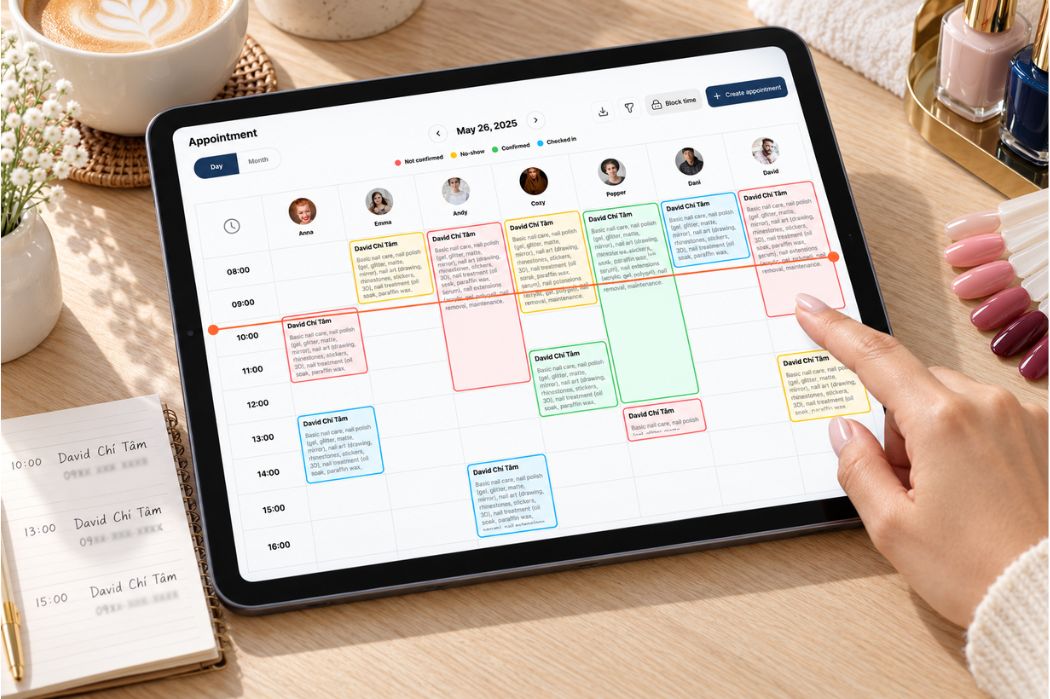
Senverse Online Booking lets clients schedule appointments online, giving them another way to arrange a visit without calling the front desk.
When evaluating the setup, review how your service menu is presented and which appointment details your staff can access. Confirm how technician requests and booking changes are handled for your salon.
Organize Customer Check-In and Service Tickets
Customer Check-In and Ticket Workflow help your team receive clients and organize their services. These are important parts of coordinating work between the front desk and technicians.
Review how the client, services, and assigned technicians appear in the workflow. If a visit involves multiple services or changes after arrival, confirm how those details are recorded.
Coordinate Technicians With Smart Turn Management
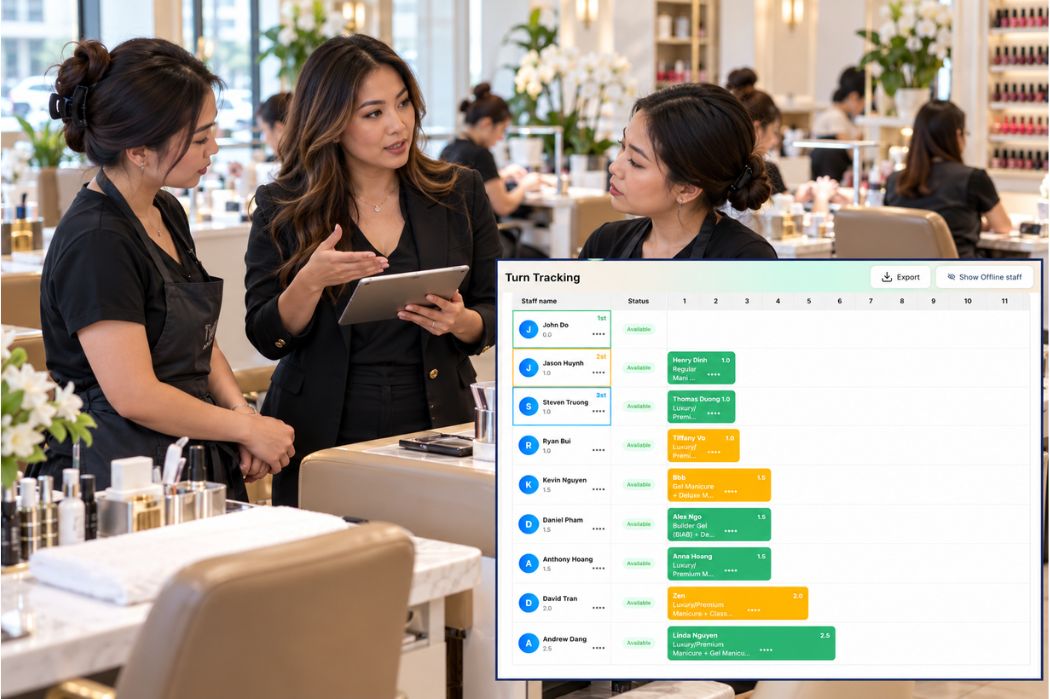
Senverse Smart Turn Management supports real-time turn tracking, turn settings by service, and distribution based on service or price. It also supports appointments and walk-ins, temporary absence or pause status, and adjustments for changes during service.
These settings should reflect the salon’s agreed operating rules. Prepare examples of service categories, prices, technician requests, and common exceptions so the Senverse team can explain the appropriate configuration.
Keep the POS Operating When the Internet Goes Down
Senverse Offline Mode allows the POS to operate when the Internet connection is unavailable.
Confirm which tasks are supported offline and what staff should check when connectivity returns. Online Booking, SMS, and card processing require separate clarification because Offline Mode does not establish that every connected service works during an outage.
Handle Integrated Payments Directly on the POS
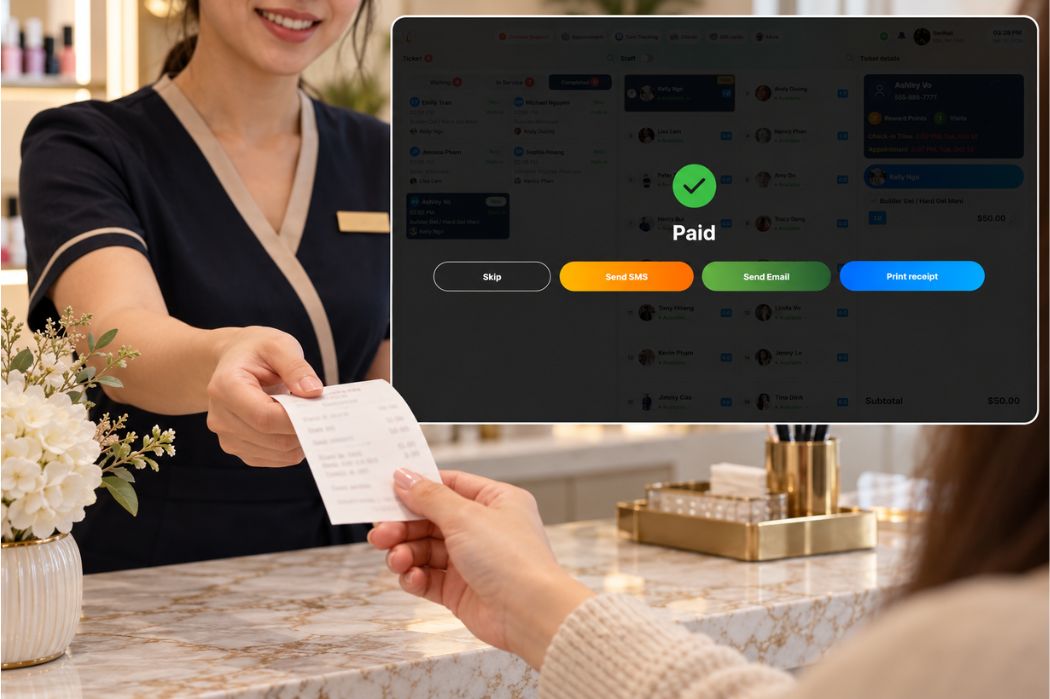
Senverse supports Integrated Payments on the POS, connecting payment handling with the salon’s checkout workflow.
Review the steps for checking the ticket amount, starting payment, and confirming the transaction result. The required equipment, account setup, and payment-related costs should be clarified before signup.
Stay Connected With Clients Through SMS Marketing
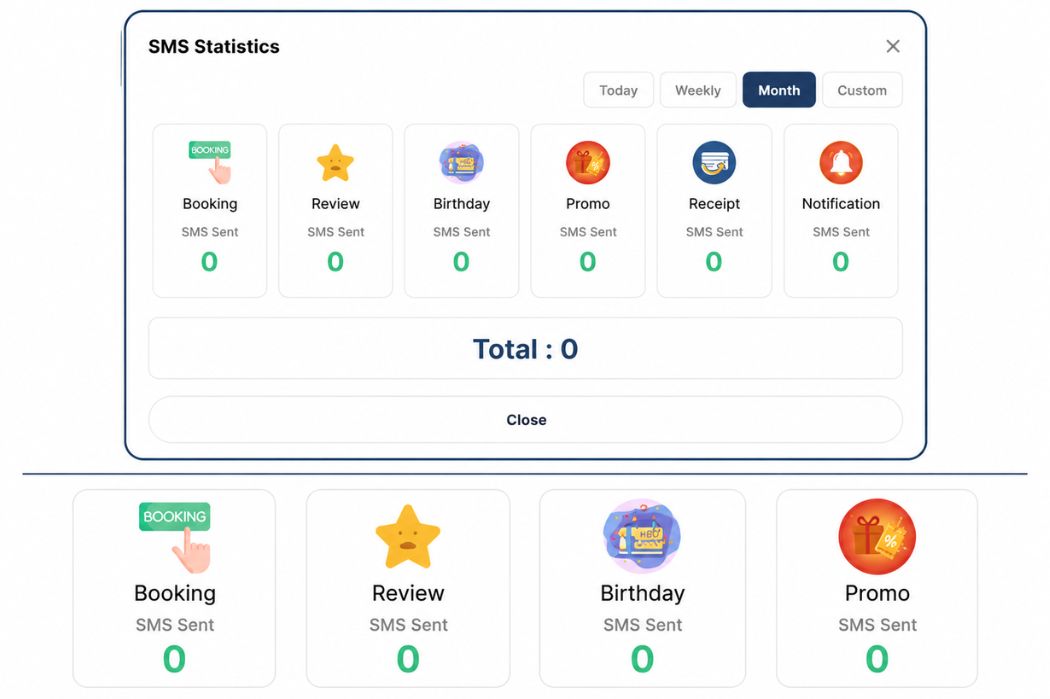
Senverse supports SMS communication for promotions, appointment reminders, appointment confirmations, and review requests.
Choose the communication goals that matter to your salon, then review the available settings for each message type. Ask how recipients are selected, which sending options are available, and how messaging costs are calculated.
Review Salon Activity Through Reports
Senverse Dashboard and Reporting provide tools for reviewing salon activity.
Evaluate the available reports against your daily management questions, including the service, ticket, and technician details you need. If you use the records for commission review, confirm the relevant fields and supported calculation rules.
For a closer look at the client journey, explore the Senverse POS walkthrough from booking to checkout.
Test Senverse With Real Salon Scenarios
Use sample appointments, tickets, and client records to evaluate Senverse against your salon’s daily requirements. The examples below are test scenarios, not claims that every configuration or outcome is supported.
A Client Books an Appointment Online
Scenario: A client wants to book a manicure for Friday afternoon and requests a specific technician.
Follow the available booking steps, then locate the appointment from the salon’s side. Check which service, time, client, and technician details are recorded. Ask how a later request to change the appointment would be handled.
Decision point: Does the booking process collect the information your receptionist needs to prepare for the visit?
A Walk-In Arrives During a Busy Period
Scenario: A walk-in requests a pedicure while two technicians are serving clients and another has an appointment arriving soon.
Ask the presenter to show how the receptionist records the arrival and reviews technician availability. Apply your salon’s rules when discussing the assignment.
Decision point: Can the receptionist identify the information needed to accommodate the walk-in while accounting for upcoming appointments?
A Client Requests a Specific Technician
Scenario: A walk-in asks for a technician who is currently serving another client.
Review how the request is recorded and how staff identify the technician’s status. Discuss how waiting for that technician affects the salon’s turn process and what happens if the client chooses someone else.
Decision point: Does the workflow support your salon’s agreed treatment of requested technicians?
A Service Changes or a Technician Steps Away
Scenario: A client adds a pedicure to a manicure visit. Separately, a technician takes a temporary break.
For the service change, review how staff update the ticket and record the technician responsible for the added service. For the break, review the pause status and the process for returning to availability.
Decision point: Can staff keep service records and technician status accurate as the shift changes?
The Internet Connection Goes Down
Scenario: The salon loses its Internet connection while clients are receiving services.
Request a controlled Offline Mode demonstration using test data. Record which tasks remain available, which connected services are unavailable, and what staff should check after the connection returns.
Decision point: Are the supported offline tasks sufficient for your salon’s essential operations during an outage?
A Client Pays After the Service
Scenario: A client finishes a visit with two services recorded on the ticket.
Review the services and amount, then follow the Integrated Payments demonstration through to the transaction result. Use a test environment where available and confirm any live transaction before proceeding.
Decision point: Can the receptionist confirm the payment outcome and identify the next step if its status is unclear?
The Salon Prepares an SMS Promotion
Scenario: The salon wants to prepare a promotion announcing appointment availability for the coming week.
Use a draft message to review the available preparation steps, recipient selection options, and sending costs. Keep the demonstration unsent unless a live campaign has been explicitly approved.
Decision point: Do the available messaging options fit the campaign your salon intends to run?
The Owner Reviews the Day’s Activity
Scenario: The owner wants to review a sample ticket, identify its services and technicians, and find the relevant daily report.
Locate those records and compare the available information with the owner’s review requirements. Note any calculation, export, or separate process that still needs clarification.
Decision point: Can the owner find enough information to investigate the work recorded during the shift?
Record the results in a short worksheet:
| Scenario | Meets our requirements? | Open question or setup requirement |
|---|---|---|
| Online appointment | Record after testing | Record booking details or change-handling questions |
| Busy-period walk-in | Record after testing | Record availability or assignment questions |
| Requested technician | Record after testing | Record how the request affects turn rules |
| Service change or technician pause | Record after testing | Record ticket updates or status settings needed |
| Internet outage | Record after testing | Record offline limits and reconnection checks |
| Integrated payment | Record after testing | Record equipment, account, or transaction-status questions |
| SMS promotion | Record after testing | Record recipient options and sending costs |
| Daily owner review | Record after testing | Record missing fields or separate processes |
Review Costs, Setup, Training, and Support
Choosing a POS also means understanding what your salon needs to purchase, prepare, and learn. Once the essential workflows meet your requirements, review the full proposal before committing.
Request a Complete Cost Breakdown
Ask for a written quote that separates one-time charges from recurring costs. Each item should identify what is included, what is optional, and how usage-based charges are calculated.
- Software subscription and included capabilities.
- POS equipment and payment terminals.
- Installation, configuration, and training charges, if applicable.
- SMS packages, allowances, and additional sending costs.
- Payment processing and related service charges.
- Optional tools or add-ons required for your preferred setup.
Confirm the billing schedule, service term, renewal conditions, and cancellation terms. If a promotional offer appears in the quote, clarify its eligibility requirements and the charges that apply afterward.
Use the nail salon POS system cost guide to review the main cost categories before discussing your proposal.
Confirm Hardware and Payment Requirements
Request an equipment list that matches the workflow demonstrated for your salon. Identify what is needed at reception, for customer check-in, and for payment collection.
If you plan to reuse existing equipment, have its compatibility confirmed before including it in your setup. Clarify which equipment is purchased, leased, or provided under separate service conditions, where applicable.
For Integrated Payments, confirm the terminal, account requirements, and setup responsibilities. Ask who will verify that the POS and payment equipment work together before launch.
Prepare Your Service Menu, Staff List, and Turn Rules
Prepare the information needed to configure the system around your operation:
- Service names, categories, prices, and appointment requirements.
- Technician names and the services they perform.
- Turn rules based on service or price, along with common exceptions.
- Procedures for requested technicians and temporary pauses.
- Reporting and commission information the owner needs to review.
If you are switching systems, list the records you want to transfer. Confirm which records can be imported, the required format, and any information that needs manual entry or separate storage.
Plan Training Around Daily Tasks
Agree on who will attend training and which tasks each role needs to practice. Receptionists, technicians, and owners may need different guidance.
Include appointment lookup, check-in, ticket changes, turn management, checkout, and daily reporting where relevant. Have staff practice common exceptions as well as routine visits.
Confirm the training language, format, available reference materials, and arrangements for follow-up questions. Assign someone at the salon to coordinate unresolved setup items before launch.
Clarify Support Channels and Availability
Senverse offers 24/7 support. Confirm the available support channels and how your team should report an urgent operating issue.
Ask what information staff should provide, such as the affected task, ticket reference, or error message. Clarify how the support team communicates progress and what staff should do while the issue is being investigated.
Support availability does not establish a guaranteed resolution time. Review any response or service commitments stated in your agreement.
Use a Practical Checklist Before Choosing Your POS
Before choosing a nail salon POS, bring together your workflow test results, written quote, and setup requirements. A successful demonstration is one part of the decision; your team also needs to understand the costs and conditions of using the system.
Record What Was Demonstrated
Separate what you have verified from what still needs an answer. Use the following statuses in your evaluation notes:
- Verified: The relevant workflow was demonstrated and the required setup or conditions are clear.
- Needs Confirmation: A capability, cost, or operating condition remains unresolved.
- Not Needed: The item is outside your salon’s current requirements.
A demonstrated feature may still have an unresolved equipment requirement or additional charge. Keep those questions open until the details are clear.
Check Your Must-Have Workflows
Use this final checklist to review whether you have enough information to make a decision.
| Decision area | What should be clear before signup |
|---|---|
| Essential daily workflows | Your team has reviewed the booking, arrival, service, turn, and checkout tasks your salon depends on. |
| Operating limits | You understand Offline Mode limitations and which services require an Internet connection. |
| Payments and equipment | The required hardware, payment setup, charges, and transaction support process are identified. |
| Customer communication | The available SMS options, recipient selection methods, and sending costs have been explained. |
| Owner reporting | The reports provide the information you need, and any separate calculations or processes are identified. |
| Total cost and service terms | You have reviewed the written quote, recurring charges, optional items, and applicable service conditions. |
| Setup and data preparation | Responsibilities for configuration, data transfer, and launch preparation are assigned. |
| Training and support | Daily users know how they will receive training and where to get help. |
Give essential workflows priority. If a required task remains unsupported or unclear, resolve it before treating the system as a suitable fit.
Resolve Open Questions Before Signing Up
Collect outstanding questions in one list and identify who will answer each one. Request written clarification when the answer affects your costs, required equipment, or ability to operate.
Choose based on the workflows your salon has verified, the conditions you understand, and the costs you are prepared to manage. Additional features are useful when they support those priorities.
See Whether Senverse Fits Your Salon’s Workflow
The best POS system for your nail salon should support the work your team performs every day, with costs and operating requirements you understand. Use your essential workflows and evaluation results to guide the decision.
Bring Your Real Salon Requirements to the Demo
Prepare your service menu, technician list, turn rules, and the front-desk situations you want to improve. Identify your must-have capabilities and any questions that remain after reviewing this guide.
Ask the Senverse team to focus on those priorities and explain the relevant setup, equipment, training, and costs. Use your checklist to record what meets your requirements and what needs further clarification.
Book a Senverse POS Demo
Ready to explore Senverse for your salon? Book a Demo to review your daily workflows with the team and discuss the setup that fits your operation.