

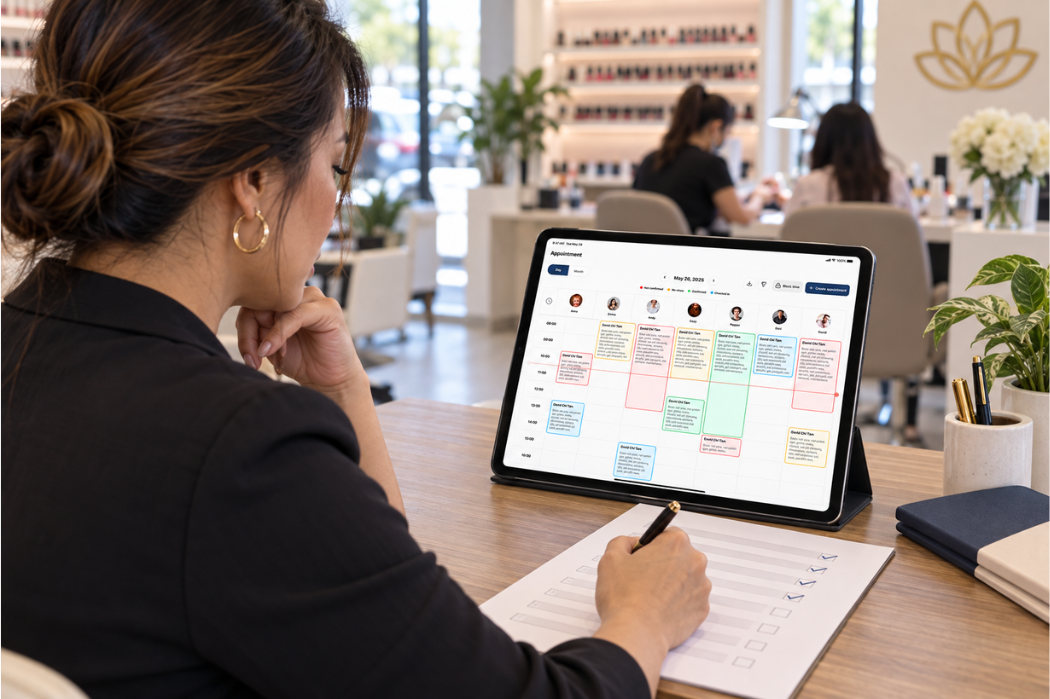
The right nail salon POS system should fit the way your salon handles appointments, client check-in, services, technicians, payments, and daily reporting—not simply offer the longest feature list.
For salon owners, choosing a POS system means looking beyond basic payment processing. The system should support the way your team actually works throughout the day, from managing scheduled appointments and walk-ins to completing services and checkout.
Before comparing providers, start by identifying where your current workflow slows down, which tasks take the most time, and what your team needs to manage more efficiently. Then, evaluate each POS based on those priorities.
This guide will walk you through the key factors to consider when choosing a nail salon POS system, so you can compare your options based on your salon’s real operational needs.
Start With Your Nail Salon’s Current Workflow
Before comparing POS providers, take a close look at how your nail salon operates today. A system may offer many features, but those features only matter if they help solve the problems your team actually deals with during a normal workday.
Start by reviewing what happens from the moment a client books or walks into the salon until the visit is completed. This gives you a clearer picture of what your next POS system needs to support.
Identify Problems at the Front Desk
The front desk is often where disconnected processes become most noticeable. Pay attention to tasks that take too much time, require repeated data entry, or depend on switching between different tools.
Common areas to review include:
- Managing appointments and schedule changes
- Handling walk-in clients
- Checking clients in when they arrive
- Assigning services or technicians
- Completing checkout and payments
- Looking up information across separate systems or handwritten records
Map the Client Journey From Booking to Checkout
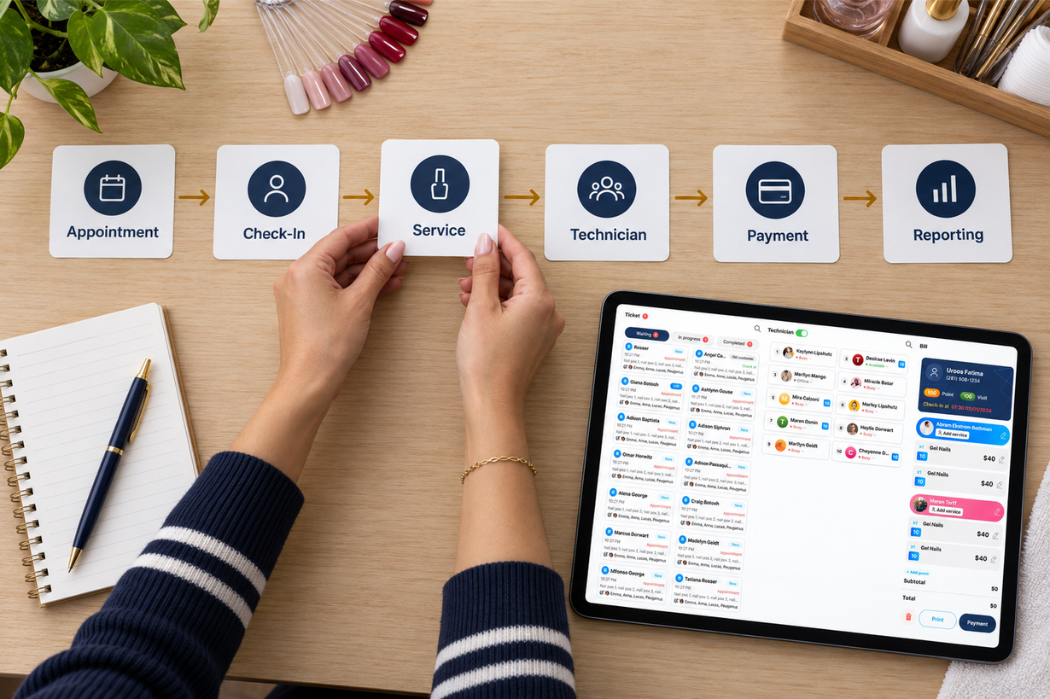
Next, map the typical client journey through your salon. A simple workflow might look like this:
Appointment → Arrival / Check-In → Service → Technician → Payment → Reporting
At each stage, ask what information your team needs and where delays or confusion tend to happen.
For example, if appointments are managed in one system while client check-in and payments happen somewhere else, your staff may spend extra time moving between tools. Looking at the complete journey helps you evaluate whether a POS can support the workflow as a whole rather than solving only one part of it.
Separate Must-Haves From Nice-to-Have Features
Once you understand your workflow, organize potential POS features into three groups:
| Priority | What It Means | Example |
|---|---|---|
| Must Have | A capability your salon depends on for everyday operations | Managing appointments, check-in, checkout, or other essential workflows |
| Useful | A feature that could improve efficiency but is not essential to daily operations | Additional reporting or workflow tools that make management easier |
| Optional | A feature that may be helpful but should not drive the buying decision | Extra capabilities your salon may rarely use |
Your list will depend on how your salon operates. A busy salon with frequent walk-ins may have different priorities from an appointment-focused salon.
Creating this list before you attend demos also makes POS comparisons easier. Instead of asking which provider has the most features, you can ask a more useful question: Which system best supports the way my salon actually works?
Compare the Nail Salon POS Features You Actually Need
Once you understand your salon’s workflow, the next step is to compare POS features based on how they support daily operations. Instead of asking whether a system has a long list of tools, look at how well each feature fits the way your salon actually serves clients and manages staff.
A useful feature should solve a real operational problem, reduce unnecessary steps, or give you better visibility into what is happening in the salon.
Appointment Scheduling and Client Check-In
If appointments are an important part of your business, look at how the POS handles booking, schedule changes, cancellations, and client arrivals.
The key question is not simply whether appointment scheduling is available. You should understand how the appointment process connects with the rest of the salon workflow.
For example, consider whether your team can easily:
- View upcoming appointments
- Update or reschedule bookings
- Handle walk-ins alongside scheduled clients
- Check clients in when they arrive
- See the information needed before service begins
A smooth connection between scheduling and check-in can help the front desk spend less time switching between tools or manually tracking client status.

Service and Technician Management
Nail salons often manage multiple services, technicians, and client requests throughout the day. When evaluating a POS, look at how the system organizes those moving parts.
Ask how easily your team can connect a client visit with the service being performed and the technician responsible for it. This becomes especially important during busy periods when several clients are being served at the same time.
The system should make it easier for staff to understand who is serving each client, what service is being provided, and where each visit is in the workflow.
During a demo, test this process with a realistic salon scenario rather than relying only on screenshots or a feature list.
Payment and Checkout Workflow
Payment is only one part of checkout. For a nail salon, the full checkout process may involve confirming completed services, reviewing the transaction, accepting payment, and closing out the visit.
When comparing systems, pay attention to how many steps your staff must take to complete a typical checkout.
Questions to consider include:
- Can staff review the client’s services before payment?
- Is the checkout process easy to follow during busy periods?
- Does the payment step connect clearly with the rest of the visit?
- What happens when a transaction needs to be corrected or reviewed?
A checkout workflow that is easy for employees to understand can be more valuable than having additional payment features your salon rarely uses.
Reporting and Salon Visibility
Reports should help you understand what is happening in the salon, not simply provide more data.
Before choosing a POS, think about which information you actually need to review regularly. Depending on how you manage the salon, that may include daily sales activity, services performed, technician activity, or other operational information.
During a demo, ask the provider to show you the reports you would realistically use at the end of a day or week.
Pay attention to whether the information is easy to find and understand. If a report contains a large amount of data but does not help you answer practical questions about your salon, it may not add much value.
Prioritize the features that help your team complete everyday tasks and make practical operating decisions.
Check How Easy the POS Is to Use
A POS system may have the features your salon needs, but those features will be less useful if your team finds the system difficult to learn or slow to use.
Ease of use matters because front-desk staff and technicians may interact with the system repeatedly throughout the day. When comparing options, evaluate usability based on real salon tasks rather than how polished the interface looks during a presentation.
Front-Desk Learning Curve
Think about how easily a new employee could understand the basic workflow. A system that requires too many steps or constant explanations may create unnecessary friction at the front desk.
During a demo, ask to see common tasks from beginning to end, such as:
- Finding an appointment
- Checking in a client
- Updating visit information
- Moving through the service workflow
- Completing checkout
Pay attention to whether the next step feels clear and whether important information is easy to locate. If possible, have the employee who will actually use the system participate in the demo.
Everyday Speed and Usability
A POS should also be evaluated based on repetitive tasks, not just a carefully prepared demo.
Consider what happens during a busy period when several clients arrive, phones are ringing, appointments change, and staff need to complete transactions quickly. Small inefficiencies can become more noticeable when the same action is repeated throughout the day.
Ask the provider to demonstrate realistic scenarios and watch for unnecessary screens, repeated data entry, or steps that could slow down your team.
The goal is not necessarily to find the system with the fewest clicks. It is to find a workflow that your staff can follow clearly and consistently during normal salon operations.
Training and Ongoing Support
Ease of use also depends on what happens after the system is set up. Even an intuitive POS may require training when employees first begin using it or when questions come up later.
Before choosing a provider, ask:
- What training is available for owners and employees?
- How can your team get help when a problem occurs?
- When is support available?
- What happens if you need assistance during salon hours?
Support availability can be especially important when the POS is part of your salon’s everyday workflow.
For example, Senverse provides 24/7 support, giving salon owners access to assistance when questions or issues arise. When comparing providers, consider support alongside features and usability rather than treating it as an afterthought.
Review the Hardware and Setup Requirements
Software is only one part of a POS system. Before choosing a provider, make sure you understand what hardware your salon needs, what is included with the system, and what may require an additional purchase.
This can help you avoid comparing POS options based only on the advertised software price while overlooking the equipment and setup required to use the system in your salon.
What Hardware Does Your Salon Actually Need?
Start by thinking about where and how your team will use the POS during a normal workday.
Depending on the system and your salon’s workflow, different types of equipment may be required for front-desk tasks, check-in, checkout, payments, or other operations. Rather than assuming every salon needs the same setup, ask the provider to explain what is required for your specific workflow.
During a demo, consider questions such as:
- Which hardware is required to operate the system?
- Which devices are optional?
- Can any existing salon equipment be used?
- Where will each device be used during the client journey?
- Are there additional hardware requirements as the salon grows?
The goal is to understand the complete setup before making a purchasing decision.
Confirm Which Hardware Is Included
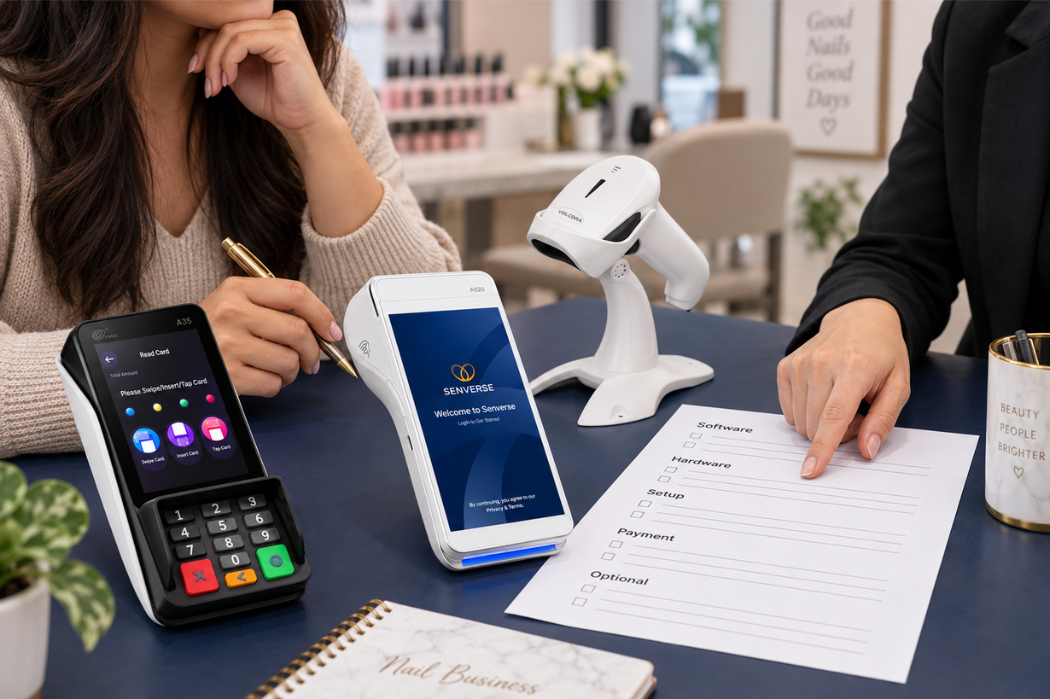
Do not assume that every device shown in a product demonstration or promotional image is included with the POS software.
Ask the provider to identify which devices are required for your salon, which are included in the proposed setup, and which must be purchased separately. You should also confirm whether the system can work with any equipment your salon already owns.
During the comparison, document the purpose of each device and where it will be used, such as at the front desk, client check-in area, or checkout station. This helps you compare the actual hardware setup offered by each provider before reviewing the complete cost.
Consider Installation and Setup
The next question is how the POS will move from a product demonstration to everyday use inside your salon.
Ask what happens during setup and what your team will need to prepare before launch. Depending on the provider and system, this may include configuring salon information, setting up services, preparing equipment, and helping employees understand the new workflow.
Useful questions to ask include:
- Who is responsible for setting up the system?
- What information does the salon need to provide?
- How is the hardware prepared or installed?
- Is training part of the setup process?
- What support is available during the transition?
- How long should the salon plan for before using the system in daily operations?
Understanding these requirements in advance can help you evaluate not only what the POS costs, but also what it will take to introduce the system into your salon without unnecessary disruption.
Understand the Total Cost, Not Just the Monthly Price
The monthly software subscription is only one part of what a nail salon may pay for a POS system. To compare providers fairly, look at the total cost of getting the system running and keeping it in use—not just the price shown on the pricing page.
Depending on the provider and your salon’s setup, costs may include:
- Software subscription: The recurring cost of using the POS software.
- Hardware: Required or optional equipment used with the system.
- Setup or installation: One-time costs associated with preparing the system for your salon.
- Payment-related costs: Fees or equipment associated with accepting and processing payments.
- Optional services: Additional services or capabilities that are not included in the standard plan.
Before making a decision, ask each provider for a clear breakdown of both recurring and one-time costs. Also confirm which items are required and which are optional.
For example, two POS systems may have similar monthly subscription prices but require different hardware, setup, or payment arrangements. Looking at the complete cost structure gives you a more useful comparison than evaluating the software fee alone.
It can also help to estimate what you expect to pay during the first year rather than focusing only on one month. This gives you a clearer view of the financial commitment involved in adopting the system.
For a more detailed breakdown, see our guide to nail salon POS system costs, including software, hardware, and setup considerations.
Look at Support, Reliability, and Future Needs
A POS system becomes part of your salon’s daily operations, so the relationship with the provider matters after the initial setup.
Before choosing a system, consider what happens when your team needs help, how the provider handles ongoing support, and whether the setup can continue to meet your needs as the salon changes.
How Reliable Is the System During Daily Operations?
A POS system may support several important salon tasks, so you should understand how the provider handles maintenance, updates, and unexpected interruptions.
Instead of relying on a general claim that the system is reliable, ask what happens when normal access or performance is interrupted.
Questions to ask include:
- How are scheduled maintenance and system updates communicated?
- What should the salon do if the system becomes temporarily unavailable?
- How can your team contact support during an interruption?
- How does the provider communicate the status of an ongoing issue?
- What steps are recommended before the system becomes part of daily operations?
The goal is to understand the provider’s process and prepare your team for possible interruptions before they affect appointments, check-in, or checkout.
What Happens When You Need Help?
Support can make a major difference when an issue affects appointments, check-in, checkout, or other daily tasks.
Before committing to a provider, ask how support works in practice:
- Which support channels are available?
- When is support available?
- Is help available during the hours your salon is open?
- What happens when an issue cannot be solved immediately?
- Is onboarding provided when the system is first introduced?
- Can new employees receive help or training later?
Do not evaluate support only by whether a provider says assistance is available. Ask what the process looks like when your team actually needs help.
It is also useful to understand how updates, maintenance, or unexpected interruptions are communicated so you know what to expect after the system becomes part of your everyday workflow.
Can the System Grow With Your Salon?
Your salon’s needs may change over time. You may add technicians, expand your service menu, change how appointments are managed, or adjust the way the front desk operates.
Instead of assuming a POS will automatically support future changes, ask the provider how the system can adapt to your plans.
Useful questions include:
- What happens if you add more employees or technicians?
- Can your setup be adjusted as your workflow changes?
- Are there limits that may become important as the salon grows?
- Which capabilities require an additional plan, service, or cost?
- How difficult is it to change the setup after implementation?
- What support is available if your business needs change?
You do not need to predict every future requirement. The goal is to understand whether the provider gives you enough flexibility and clarity to make adjustments without creating unnecessary disruption later.
A POS system should make sense for the salon you operate today while giving you a clear understanding of what happens if your needs change tomorrow.
Common Mistakes to Avoid When Choosing a Nail Salon POS System
Even after narrowing down your options, a few common mistakes can make it harder to choose the right POS for your salon. Before making a final decision, watch for these issues.
Choosing Based on Price Alone
A lower monthly price does not always mean a lower total cost or a better fit. Consider the software, required hardware, setup, payment-related costs, optional services, and the capabilities your salon actually needs.
Comparing Feature Counts Instead of Workflows
More features do not automatically make a POS more useful. Focus on how the system supports the way clients move through your salon—from appointments and check-in to services, checkout, and reporting.
Ignoring Hardware and Additional Costs
Do not assume that every device or service shown during a demo is included. Ask what hardware is required, what is optional, and which items involve additional one-time or recurring costs.
Not Testing the System With Real Salon Scenarios
A prepared product demonstration may not show how the system performs during your actual workday. Ask the provider to walk through realistic situations, such as checking in a walk-in client, updating an appointment, assigning a technician, or completing checkout.
Testing familiar scenarios makes it easier to identify unnecessary steps and determine whether your team can follow the workflow comfortably.
Not Asking About Support Before Signing Up
Support becomes important when your staff has a question or an issue interrupts daily operations. Before committing, confirm when support is available, how your team can request help, what onboarding is provided, and what happens when a problem cannot be resolved immediately.
The right choice is the POS system that fits your salon’s workflow, budget, team, and day-to-day operating needs.
How to Make Your Final Decision
Choosing a nail salon POS system becomes easier when you follow a consistent decision process instead of comparing providers based on isolated features or pricing.
Use this framework:
Salon Needs → Must-Have Capabilities → Real Workflow Demo → Total Cost → Support → Final Comparison

Start with the problems your salon needs to solve. Then confirm which capabilities are essential, test the system with realistic salon scenarios, review the full cost structure, and understand what support is available after setup.
Once you have completed those steps, compare your final options based on workflow fit, total cost, usability, and provider support.
If you want to see how Senverse approaches salon operations, explore the Senverse POS System and review how it may fit your front-desk and daily workflow needs.
Book a demo to see how Senverse can fit into your salon’s daily workflow.