

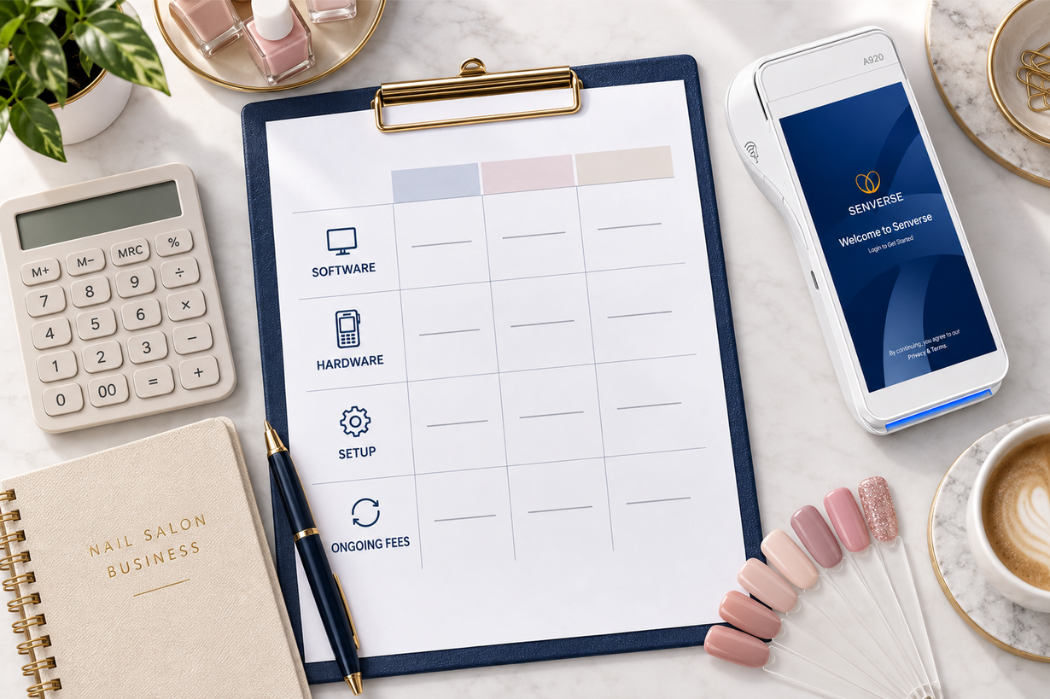
Buying your first POS system or replacing an existing one starts with a practical question: what should you budget? Your nail salon POS system cost may include software, hardware, implementation, payment processing, and optional services—not just the advertised monthly subscription.
This guide explains each cost category, shows you how to estimate the first-year total, and provides a practical framework for comparing POS quotes for the same salon setup.
How Much Does a Nail Salon POS System Cost?
There is no single fixed price for every nail salon POS system. Your total depends on the software plan, number of locations and devices, required equipment, implementation services, payment processing, and optional features. For a useful comparison, calculate both the amount due before launch and the estimated cost of the first 12 months.
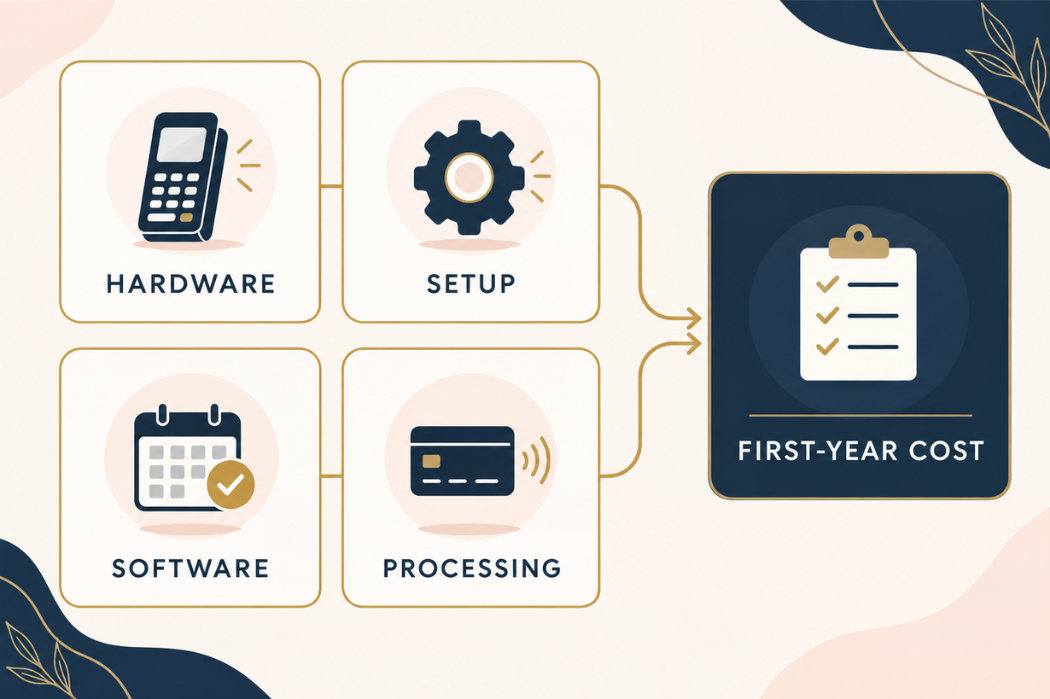
Estimated first-year cost = one-time hardware and implementation costs + 12 months of fixed recurring charges + estimated transaction and usage-based fees.
Your nail salon POS system cost depends on the software plan, equipment, setup services, and ongoing charges included in your agreement. An itemized quote should help you account for four main categories:
- Software: Subscription fees for the plan and any optional features you select. Confirm what is included and whether additional devices or locations affect the price.
- Hardware: The equipment required for your setup, such as a POS workstation, payment terminal, or receipt printer. Ask whether compatible equipment you already own can be reused.
- Setup and implementation: Any charges for installation, transferring existing data, configuring the system, and training your team. Confirm which services are included.
- Ongoing operations: Payment processing, equipment rental, usage-based services, and any separately billed support or maintenance that applies to your agreement.
Separate these expenses into upfront costs and ongoing costs. Equipment purchased outright and one-time setup services belong in your startup budget. Subscriptions and equipment rentals are recurring expenses, while transaction or usage-based charges depend on activity.
For a useful comparison, ask each provider for the amount due before launch and an estimate of the following 12 months of charges. Use the same equipment needs and expected transaction activity for every quote, and count bundled items only once.
Nail Salon POS System Cost Breakdown
To understand what a POS quote covers, review each charge alongside the equipment or service it pays for. Ask the provider to identify what is included, what is optional, and how each item is billed. This makes it easier to compare packages without overlooking a separate expense.
Software Subscription Costs
Start by checking whether the quoted software plan covers your salon’s daily workflow. Review the core capabilities of a POS system for nail salons, then list the functions your team needs—such as appointment management, checkout, technician turn management, and reporting. Ask the provider to confirm which capabilities are included in the quoted plan.
Next, check how the subscription is calculated:
- Billing schedule: Is payment due monthly or annually? If the price is advertised as a monthly equivalent, how much is payable upfront?
- Pricing basis: Does the quote cover one location, a fixed number of devices, or a certain number of users?
- Optional features: Which services require a separate subscription or usage charge?
- Renewal terms: Does the quoted price change after an introductory period or at renewal?
For example, if your salon needs two checkout stations, ask for a quote covering both. A price based on one station will not give you a complete budget unless the second is included.
Hardware and Equipment Costs
Build an equipment list around how clients move through your salon, from arrival to checkout. Depending on your setup, that list may include a POS workstation, payment terminal, receipt printer, scanner, or customer check-in tablet. Confirm which devices are required for the proposed system and which are optional.
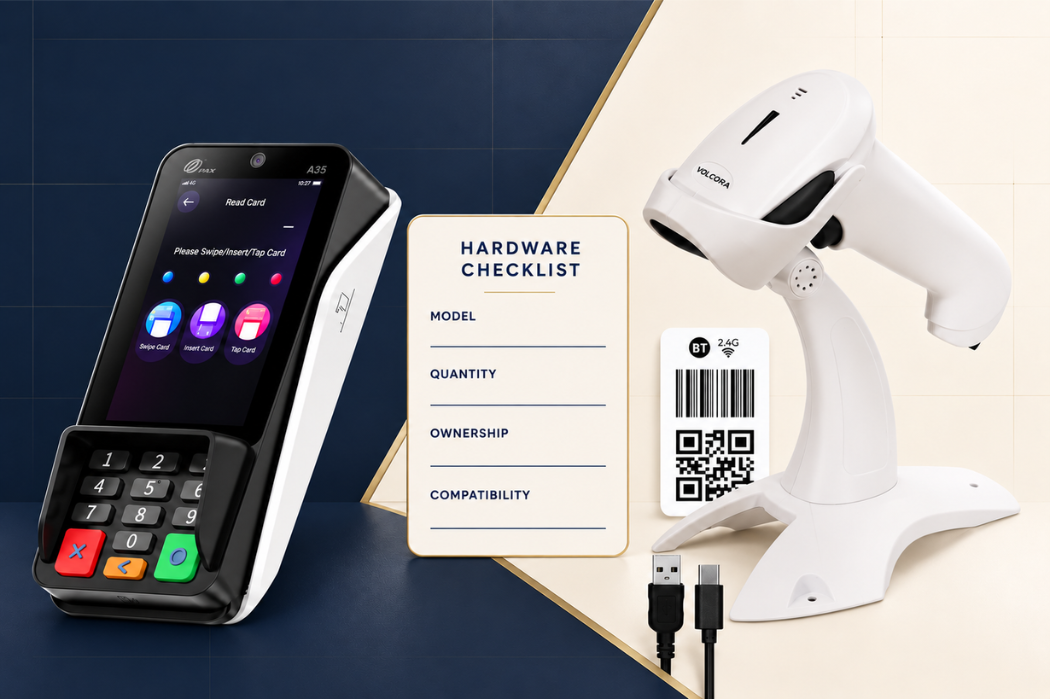
For each item, ask whether you will purchase it outright, rent it, or receive it as part of a package. Request the model, quantity, ownership terms, and any separate delivery or installation charges.
If you already own equipment, have the provider verify compatibility before removing replacement costs from your budget. Include the exact model numbers in your request; a device that powers on may still need additional configuration or may not work with the proposed software and payment setup.
Finally, check what an equipment bundle includes. Stands, cables, and other necessary accessories should be identified in the quote so you know what will be ready to use at launch.
Setup, Data Migration, and Staff Training
Treat setup, data migration, and training as separate items when reviewing implementation costs, even if the provider bundles them into one fee.
Setup should specify the work involved in preparing the system for your salon. Ask who will configure service menus, staff profiles, permissions, and connected equipment, and whether that work will happen remotely or on-site.
Data migration should identify exactly what can be transferred from your current system. Ask which records and file formats are supported, who prepares the export, and how you will check the imported information before launch. Do not assume that every customer record, appointment, or historical transaction can be transferred.
Staff training should state who can attend, how sessions are delivered, and what is covered. Confirm whether follow-up sessions or training for future employees carry an additional charge.
Also account for your team’s time. Preparing records, checking the new setup, and attending training require staff availability even when the provider includes these services in the package.
Payment Processing and Other Ongoing Fees
Review payment processing separately from the software subscription unless the agreement explicitly combines them. Ask for the complete fee schedule and an explanation of how charges apply to the payment methods your salon will use.
To understand the broader fee structure, review how credit card processing for nail salons works before comparing provider estimates.
Ask the provider to identify any applicable percentage-based charges, per-transaction charges, and fixed account fees. If you accept payments through different channels, ask whether they are priced differently.
Beyond processing, confirm whether your agreement includes separate charges for:
- Equipment rental or leasing.
- Messaging or other usage-based services.
- Optional software subscriptions.
- Additional support or maintenance.
- Replacement equipment or service visits.
These are items to verify, not charges to assume. Mark each one as included, separately billed, or not applicable.
Use the table below to organize the confirmed charges in your quote.
| Cost item | Billing category | What to confirm |
|---|---|---|
| Software subscription | Recurring | Billing frequency, covered locations or devices, and renewal price |
| Equipment purchased outright | One-time | Models, quantities, accessories, and ownership |
| Equipment rental or lease | Recurring | Payment amount, term, and return or purchase conditions |
| Initial setup | One-time, if separately charged | Configuration tasks and remote or on-site service |
| Initial data migration | One-time, if separately charged | Supported records, preparation requirements, and validation |
| Staff training | One-time or recurring, depending on the agreement | Included sessions and charges for additional training |
| Payment processing | Transaction-based; fixed recurring fees may also apply | Complete fee schedule and applicable payment channels |
| Messaging or other metered services | Usage-based, if applicable | Included allowance and charges beyond that allowance |
| Optional software or support plans | Recurring, if selected | Scope, billing frequency, and cancellation terms |
| Repairs, replacements, or service visits | As needed, if chargeable | Warranty coverage and charges outside that coverage |
Keep included items visible in your comparison, but do not add their value again as a separate charge. The goal is to capture each expense once and understand when it becomes payable.
How to Compare Nail Salon POS Quotes
Compare itemized written quotes using the same salon requirements, billing period, and expected usage. A lower advertised monthly price does not necessarily mean a lower total cost if required hardware, implementation, or services are billed separately.

Compare the Same Software and Hardware Scope
Prepare one requirements list and send it to every provider. Include the number of locations, checkout stations, payment terminals, and any additional devices your salon needs. List the software functions your team expects to use and ask each provider to identify the plan that covers them.
For example, if you need two checkout stations and a customer check-in tablet, each quote should cover that configuration. If a provider recommends a different setup, ask them to explain how it supports the same workflow.
Check these details before comparing totals:
- Software coverage: Required functions, user access, and device or location limits.
- Equipment: Model numbers, quantities, accessories, and purchase or rental terms.
- Existing hardware: Which devices the provider has confirmed you can reuse.
- Implementation: The setup, data transfer, and training included in the proposed scope.
Record any differences beside the price. This helps you distinguish a lower-cost option from a quote that leaves out something your salon needs.
Separate Included Services From Paid Add-Ons
Label every required feature or service as included, additional charge, optional, not available, or needs confirmation. For services with usage limits, record the included allowance and the charge that applies when your salon exceeds it.
Keep optional services outside your required total until you decide to purchase them. For bundled packages, add only separately billed items to the package price to avoid counting the same expense twice.
Next, calculate the expected cost for the following 12 months. Check when introductory pricing ends, whether subscription rates change at renewal, and whether equipment or service payments continue. Label any unconfirmed future amount as unknown rather than treating it as zero.
Compare First-Year and Renewal Costs
Use the same starting point for every quote: initial setup plus the first 12 months of service. Include one-time purchases, recurring charges, selected add-ons, and estimated usage-based fees. Apply only discounts confirmed in writing, and check whether delivery and applicable taxes are included.
Then request the expected cost for the next 12 months. Confirm when promotional pricing ends, whether renewal rates are fixed, and which equipment or service payments continue. If future pricing is not confirmed, label it as unknown.
Keep payment timing separate from total cost. An annual subscription paid upfront and a monthly subscription have different cash requirements, even when their annual totals are similar.
For payment processing and other variable charges, give providers the same expected activity and request estimates based on that information. Keep those estimates separate from fixed charges so you can see which portion of the total may change.
Copy the table below and fill it in using written quotes. Enter “included,” “not applicable,” or “needs confirmation” where appropriate; a blank field should not be treated as zero.
Use the table below to compare the main costs and contract terms in each written quote. Enter “included,” “not applicable,” or “needs confirmation” where appropriate. Do not treat a blank field as zero.
| Comparison item | Provider A | Provider B | Provider C |
|---|---|---|---|
| Software plan, billing schedule, and annual cost | _____ | _____ | _____ |
| Locations, users, devices, and required features covered | _____ | _____ | _____ |
| Hardware purchase or rental costs | _____ | _____ | _____ |
| Setup, data migration, and staff training | _____ | _____ | _____ |
| Payment processing, add-ons, and usage-based fees | _____ | _____ | _____ |
| Estimated first-year total | _____ | _____ | _____ |
| Estimated cost for the next 12 months | _____ | _____ | _____ |
| Contract, renewal, cancellation, and equipment return terms | _____ | _____ | _____ |
| Missing information or unresolved questions | _____ | _____ | _____ |
Count each charge once when calculating the totals. Treat the amount due before launch as a payment-timing detail, not an additional expense. Resolve any missing information that could affect the price, equipment, or services your salon will receive before selecting a provider.
Count each charge once when calculating the totals. Treat the amount due before launch as a payment-timing detail, not an additional expense. Before choosing a provider, resolve missing items that could change either the price or the services your salon receives.
Questions to Ask Before Choosing a POS Plan
Before signing, ask the provider to confirm the details that could affect your costs, launch, or day-to-day operations. Keep the answers with your written quote and agreement so you have a clear reference after purchase.
What Is Included in the Quoted Price?
Ask for an itemized description of the software, equipment, and services covered by the quoted amount. A package name alone does not tell you what your salon will receive.
Use these questions to clarify the offer:
- Which software features, locations, users, and devices does this price cover?
- Which equipment models, quantities, and accessories are included?
- Do I own the equipment, rent it, or need to return it when service ends?
- Are there required charges outside this quote, including delivery, applicable taxes, or separate service agreements?
- When does any promotional price end, and what price applies afterward?
If a feature shown during the demo matters to your salon, ask the provider to identify it in the proposed plan before you sign.
Are Setup, Data Migration, and Training Included?
Ask for a written implementation scope that explains who handles each task, what your team must prepare, and which work could trigger additional charges.
Confirm the following:
- Who configures the service menu, staff profiles, permissions, and equipment?
- Which existing records can be transferred, and which must be entered manually?
- Who checks the imported data and corrects any issues before launch?
- How many training sessions are included, who can attend, and are follow-up sessions available?
- What happens to the schedule and price if additional work is needed?
Request a named contact for implementation and agree on how you will confirm the system is ready for use. For example, ask whether your team can review the service menu and test the planned checkout workflow before the launch date.
What Support and Hardware Warranty Terms Apply?
Confirm software support and hardware warranty coverage separately. You need to know how to get help with a system issue and what happens if a physical device needs repair.
For support, ask:
- Which hours, time zones, languages, and contact channels are covered?
- Is support included in the subscription, and which services cost extra?
- How are urgent issues handled outside regular business hours?
- Is there a stated response-time commitment, and what does it cover?
For hardware, request the warranty duration, exclusions, and claim process. Ask who handles repairs, who pays shipping, and whether replacement or loaner equipment is available while a device is being serviced. Confirm any associated charges and expected turnaround times.
Support availability does not establish how quickly a problem will be resolved. Ask the provider to explain both the initial response process and the next steps if the issue remains open.
What Happens if You Cancel or Switch Providers?
Understand the exit process before committing to a plan. Ask the provider to explain cancellation requirements, remaining payments, equipment obligations, and data access in writing.
Key questions include:
- Is there a minimum term, automatic renewal, or cancellation notice deadline?
- How must I submit a cancellation request, and how will it be confirmed?
- Are there early termination charges, outstanding equipment payments, or separate agreements to close?
- Which devices must be returned, by what date, and in what condition?
- Which records can I export, in what format, and is there a charge?
- When does account access end, and how long is data retained afterward?
If you plan to move to another system, ask the new provider to review the available export format before scheduling the switch. Confirm that you can retrieve the records you need while your current account is still accessible.
Discuss Your Salon’s POS Needs With Senverse
Bring your salon’s requirements and cost questions to a conversation with Senverse. Use the discussion to review your daily workflow, explore the system, and confirm the software, equipment, and services covered by your proposed plan.
Outline Your Salon’s Workflow and Equipment Needs
Start with a short description of how your team handles appointments, walk-ins, check-in, technician turns, and checkout. Identify where your current process creates extra work and what you want to improve.
Before the demo, prepare:
- Your salon setup: Number of locations, team members, and checkout stations.
- Your current equipment: Device names, model numbers, and quantities, including anything you hope to reuse.
- Your priorities: The tasks and features you want to see demonstrated.
- Your transition needs: Your current POS system, records you would like to transfer, and preferred launch timing.
Choose one everyday scenario to discuss, such as managing a walk-in while scheduled clients arrive. This gives the conversation a practical focus and helps you assess how the proposed setup would fit your team.
Book a Demo and Confirm Pricing Details
During your Senverse demo, ask to review the workflows that matter most to your salon. Confirm which capabilities belong to the proposed plan and whether your equipment and implementation requirements can be supported.
Before making a decision, request a written quote showing the software subscription, equipment, setup services, and any additional charges that apply. If an offer is available, confirm its eligibility, duration, and pricing after it ends.
Use those details to complete your comparison worksheet and review both your startup budget and ongoing costs.
Book a demo with Senverse to discuss your salon’s workflow, equipment needs, and pricing for your proposed setup.