

A missed appointment can leave a technician waiting and a time slot unfilled. For the front desk, it also creates a decision: contact the customer, adjust the schedule, or offer the opening to someone else.
Learning how to reduce nail salon no-shows starts with reviewing the appointment process from booking to follow-up. Check where details may be unclear, reminders may be missed, or customer change requests may go unanswered.
This guide provides a practical reminder schedule, message templates you can adapt, and a front-desk checklist to help your team manage appointments more consistently.
How to Reduce Nail Salon No-Shows
To reduce nail salon no-shows, start with accurate booking details, clear reminders, and an easy way for customers to change their appointments. Assign staff to review replies and update the schedule so customer requests do not go unanswered.
Use this checklist to guide your team:
- Verify appointment details and contact information. Confirm the service, date, time, technician preference, and the phone number or email address used for appointment messages.
- Send a clear booking confirmation. Include your salon’s name, appointment details, location, and instructions for contacting the team if anything is incorrect.
- Set a reminder schedule your team can manage. Choose when reminders should go out and who will check delivery issues and customer responses. Adjust the timing for appointments booked close to the service time.
- Make cancellations and rescheduling straightforward. Tell customers which phone number, monitored messaging channel, or supported booking link to use. Explain any applicable cancellation policy when they book.
- Follow up consistently and review missed appointments. Contact customers politely after a missed visit, record the outcome, and look for recurring issues such as incorrect contact details or unanswered change requests.
Confirm the Right Details When Customers Book
Before finalizing an appointment, review the details with the customer and record them where your team manages the schedule. Use the same process for bookings made by phone, in person, or through any online booking channel your salon offers.
Verify the Service, Date, Time, and Technician
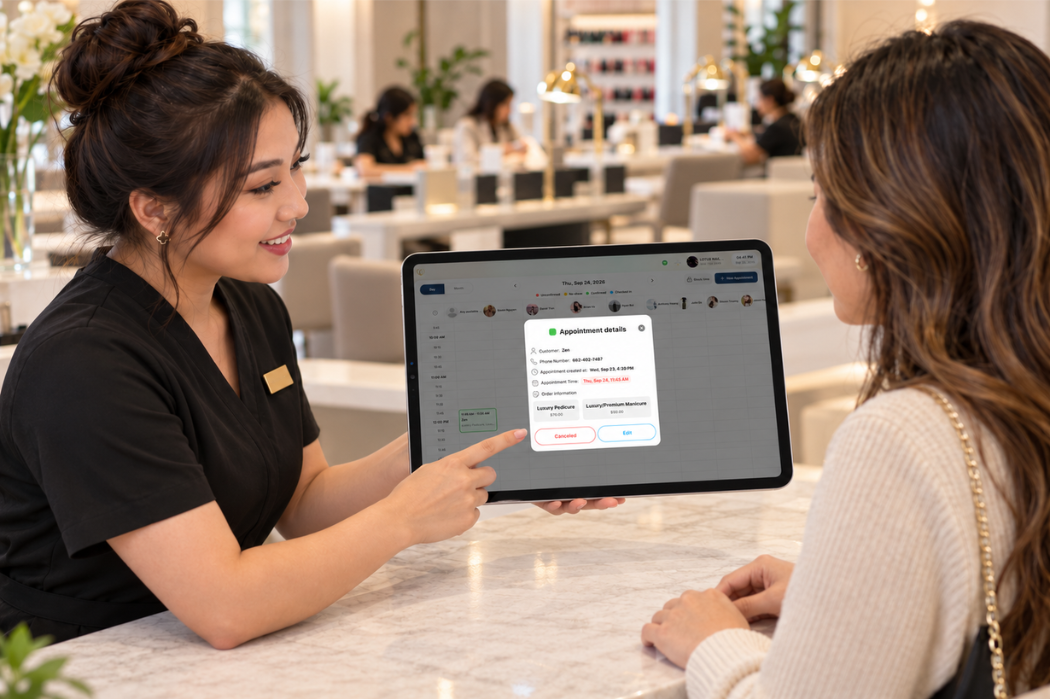
Confirm what the customer has booked and when they should arrive. Check:
- Services: List each service separately. For multiple services, confirm that enough time is reserved and explain whether different technicians will handle different parts of the visit.
- Date and time: State the day, calendar date, and start time, including AM or PM. For multiple services, make clear when the first service begins.
- Technician preference: Record whether the customer requests a specific technician or accepts any available technician qualified to perform the booked services. Confirm availability before promising a particular person.
- Location: If your salon has multiple locations, confirm the address for the appointment.
For example, a customer booking a manicure and pedicure may request a specific technician for the manicure while accepting another qualified technician for the pedicure. Record that distinction so staff do not treat the preference as applying to both services.
Check Contact Details and How the Customer Wants to Be Reached
Ask which of your salon’s available contact methods the customer prefers for appointment updates. Read back the phone number or email address to check for errors, particularly when taking a booking verbally.
Explain how your salon will use that channel for the appointment. If customers cannot reply to a reminder, tell them how to reach the front desk instead. Only invite replies when the channel supports them and someone on your team is responsible for checking them.
A customer’s preferred channel may not be one your salon offers. In that case, agree on an available alternative before completing the booking.
Explain How to Change or Cancel the Appointment
Give customers a clear next step if they need to change their plans. Depending on your salon’s process, this may be calling the front desk, using a monitored messaging channel, or following a supported booking link.
When confirming the appointment:
- Share the correct contact number or available change-request method.
- Explain any applicable cancellation notice period and where to review the policy.
- Clarify whether a change takes effect immediately or requires staff confirmation.
- Ask customers to mention changes to individual services or technician preferences, even if they intend to keep the appointment.
For a multi-service booking, removing or replacing one service may change the time needed and staff availability. Have your team review the updated booking and confirm the revised details with the customer.
Build a Practical Appointment Reminder Schedule
Build your reminder schedule around how far ahead customers book and when your team can respond to changes. Give each message a clear purpose, and adjust the timing for appointments booked close to the service time.
The schedule below is a starting example to adapt to your salon’s hours, cancellation policy, and available communication channels.
| Booking stage | Message purpose | Example timing | Staff action |
|---|---|---|---|
| Booking completed | Confirm the appointment details and explain how to request changes | Shortly after the booking is finalized | Check that the message matches the appointment record |
| Upcoming appointment | Remind the customer and provide a way to cancel or reschedule | The day before, adjusted to give customers time to act under the salon’s policy | Review replies and update the schedule |
| Booking made close to the start time | Confirm the booking without sending overlapping reminders | At booking, such as when an appointment is made two hours ahead | Check whether another reminder is queued and skip it where possible |
| Appointment changed | Confirm the revised details | After the change is finalized | Check that pending reminders reflect the updated booking |
Send a Confirmation After Booking
Send a confirmation once the service, time, and technician arrangement have been finalized. Include the appointment details, salon location, and an available way to contact your team.
Make clear whether the message simply confirms a completed booking or asks the customer to take another step. If a reply is required, explain how to respond and assign someone to review it. Do not ask customers to reply through a channel that cannot receive responses.
Send a Reminder Before the Appointment
Choose a reminder time that gives customers a practical opportunity to contact your team. For example, a day-before reminder may fit some workflows, but it may arrive too late for a salon whose cancellation policy requires more notice. Adjust the schedule accordingly.
For bookings made close to the appointment time, a separate reminder may repeat a confirmation the customer just received. If someone books two hours ahead, review whether the confirmation already provides everything they need. Where your process or software allows, skip the overlapping reminder.
Before using automatic reminders, check how the system handles last-minute bookings, cancellations, and rescheduled appointments. When evaluating a POS system for nail salons, ask the provider to demonstrate these situations and identify any steps staff must handle manually.
Assign Staff to Review Replies and Schedule Changes
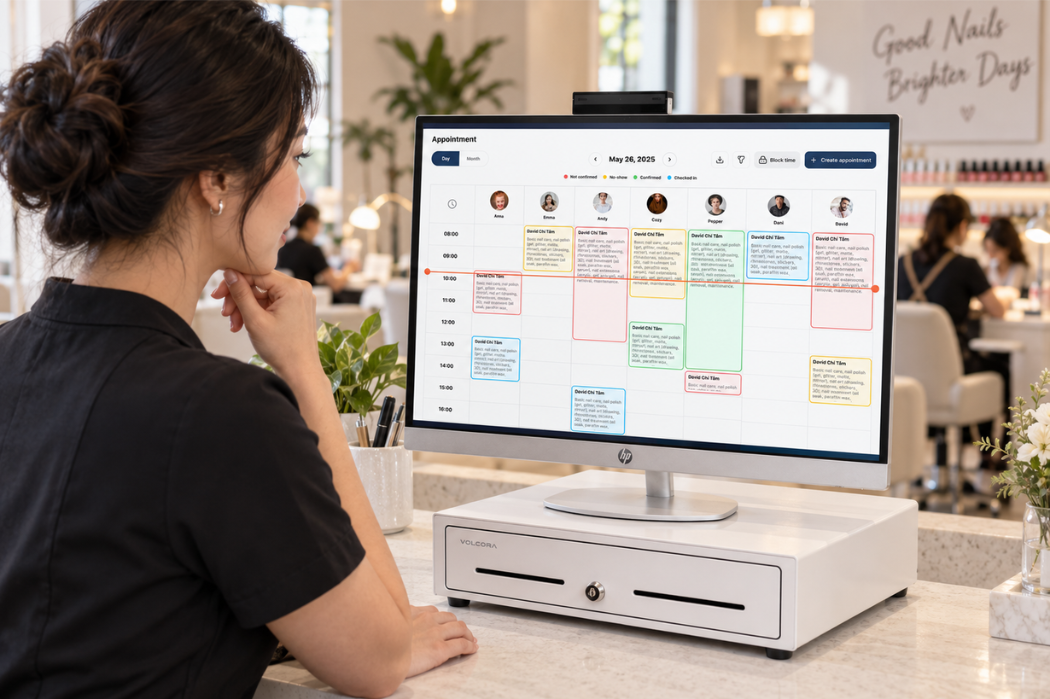
Assign a staff member on each shift to monitor the contact channels your salon uses for appointment messages. Define who takes over during breaks or shift changes.
Give that person a short checklist:
- Review replies and change requests at agreed intervals during staffed hours.
- Check availability before confirming a requested time, service, or technician change.
- Update the appointment record and send the revised details to the customer.
- Review pending reminders so they do not contain outdated information.
- Hand off unresolved requests to the next responsible staff member.
Keep a request separate from a confirmed change. If a customer asks for a later time, the team should verify availability and confirm the outcome rather than assume the appointment has already moved.
If you are comparing nail salon booking software, review how each option handles appointment changes, customer responses, and staff follow-up responsibilities.
Nail Salon Appointment Reminder Text Templates
Use these templates as a starting point for appointment messages. Replace every placeholder, check the details against the current booking, and use a contact method your salon supports. Include AM or PM with each appointment time and list all booked services when relevant.
Booking Confirmation
Send this after the appointment has been finalized. For salons with multiple locations, include the address so customers know where to go.
Hi [First Name], your appointment at [Salon Name] is booked for [Date] at [Time] for [Service]. Location: [Salon Address]. For changes or questions, please call [Phone Number]. We look forward to seeing you!
Add a technician’s name only when that assignment is confirmed. If the customer accepts any available qualified technician, avoid promising a specific person.
Upcoming Appointment Reminder
Use this to remind the customer of an existing appointment without requiring a reply.
Hi [First Name], this is a reminder of your [Service] appointment at [Salon Name] on [Date] at [Time]. Need to cancel or reschedule? Please call [Phone Number].
Use the actual date rather than relying only on “tomorrow,” especially if messages may be read later. Check that the appointment has not changed or been canceled before sending.
Confirmation Request When a Reply Is Needed
Use this version only when customers can reply through the channel and your team monitors incoming messages.
Hi [First Name], please confirm your [Service] appointment at [Salon Name] on [Date] at [Time]. Reply YES to confirm you plan to attend. If you need to cancel or reschedule, please call [Phone Number].
Record the response according to your salon’s process. Do not treat a missing reply as a cancellation unless that rule was clearly communicated and applies to the booking.
If replies are unavailable, replace “Reply YES to confirm you plan to attend” with “Please call [Phone Number] to confirm you plan to attend,” and remove the repeated phone number from the final sentence.
Rescheduling Confirmation
Send this only after the new time has been checked and the appointment record updated.
Hi [First Name], your [Service] appointment at [Salon Name] has been rescheduled to [Date] at [Time]. This replaces your appointment on [Original Date] at [Original Time]. For questions or further changes, please call [Phone Number].
Check that any pending reminders use the revised details. If a change request is still being reviewed, acknowledge the request separately without presenting the requested time as confirmed.
Late Arrival Check-In
Before sending, check whether the customer has already arrived, called, or sent a message.
Hi [First Name], this is [Salon Name] checking in about your appointment today, [Date], at [Time]. If you’re on your way or need to change your plans, please call [Phone Number] so we can review the available options.
Keep the wording neutral. Avoid promising that the full service can still be completed until staff have reviewed the remaining time and technician availability.
Missed Appointment Follow-Up
Use this after staff have verified that the appointment was missed. Keep the message courteous and focused on the next step.
Hi [First Name], we missed you at your [Service] appointment at [Salon Name] on [Date] at [Time]. If you’d like to arrange another appointment, please call [Phone Number]. Our team can help you check availability.
If your salon offers a working rescheduling link, you may replace the phone instruction with “To request a new time, visit [Rescheduling Link].” Use that option only when the booking channel supports the action and staff review requests that require approval.
Make Cancellation and No-Show Expectations Clear
Explain what customers should do if they cannot attend, how your salon handles schedule changes, and who can answer policy questions. Use the same wording across the booking channels your salon offers so customers receive consistent information.
Explain the Policy Before the Appointment Is Confirmed
Give customers an opportunity to review the policy before finalizing their booking. For phone or in-person appointments, staff can explain the key points and direct customers to the full policy. For online bookings, check where the policy appears in the booking process.
Make sure customers can understand:
- How to request a cancellation or schedule change.
- Any notice period stated in your salon’s policy.
- How the salon handles late arrivals and missed appointments.
- Whether a change request requires staff confirmation.
- Who to contact with questions or an unusual situation.
Use plain language and make the full policy easy to find. A reminder can repeat the relevant instructions, but it should not introduce conditions the customer was never shown when booking.
Distinguish Cancellations, Late Arrivals, and No-Shows
Give staff clear definitions so they record appointment outcomes consistently:
- Cancellation: The customer tells the salon they will not attend. Record when the notice was received and distinguish late cancellations where your policy calls for it.
- Late arrival: The customer arrives after the scheduled start time. Staff should review the remaining service time and technician availability before confirming what can still be provided.
- No-show: The customer does not attend and has not notified the salon, based on the criteria in your stated policy.
Before marking an appointment as a no-show, check the contact channels your salon uses for customer requests. A cancellation message awaiting staff review should not be overlooked. Keep rescheduled appointments separate so the record reflects what actually happened.
Give Staff a Consistent Process for Exceptions
Create a clear process for situations that need individual review, such as an emergency, a booking error, or a message your team missed. Identify which staff member or manager can approve an exception and when others should refer the decision to them.
For each exception:
- Review the appointment details and available communication history.
- Record a brief, factual explanation without collecting unnecessary personal details.
- Document the decision and who approved it.
- Explain the outcome and any next steps to the customer.
- Update the appointment record and inform the staff members affected.
Apply the same review process to comparable situations. If similar exceptions occur repeatedly, review whether the policy or booking instructions need clarification.
What to Do When a Customer Does Not Arrive
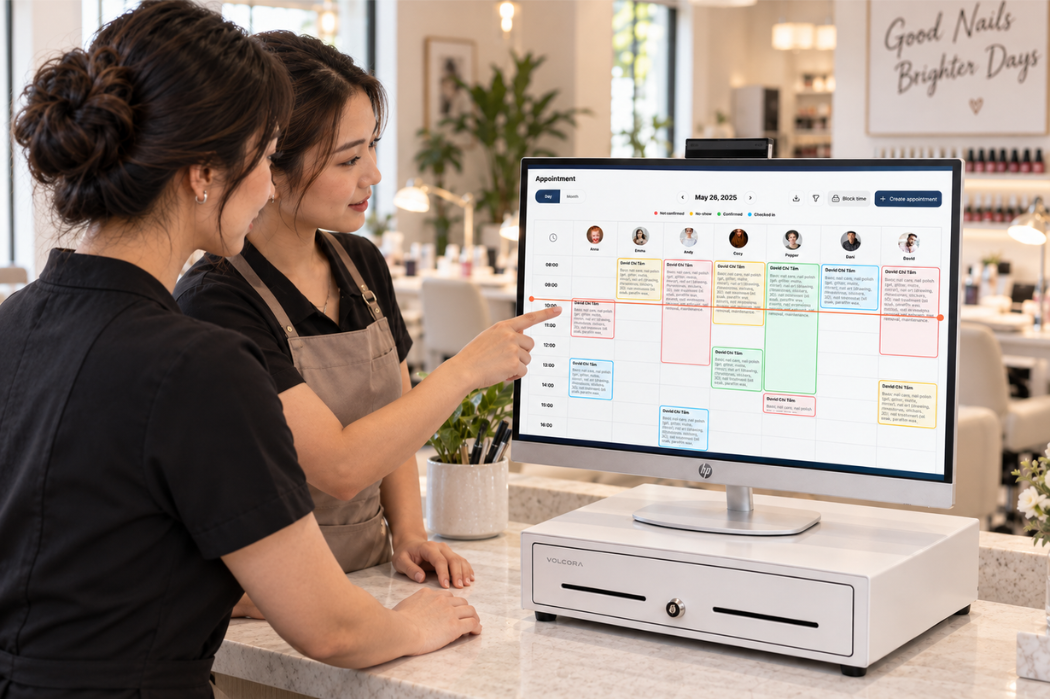
When a customer has not arrived at the scheduled time, verify the booking and check for updates before marking the appointment as a no-show. Follow a consistent process so the front desk and technician know what happens next.
- Check the schedule and recent messages. Verify the date, time, location, and any recorded changes. Check whether the customer has contacted another staff member, requested a cancellation, or already checked in.
- Contact the customer politely. Use an appropriate contact channel your salon supports. Ask whether they are on their way or need to change their plans. Avoid promising that the original service can still be completed until staff have reviewed availability.
- Record the outcome and update the appointment status. Note the contact attempt, any response, and the agreed next step. Distinguish a late arrival, cancellation, rescheduling request, and no-show according to your salon’s definitions.
- Handle the time slot according to your salon’s process. Have the responsible staff member decide when the opening can be offered to another customer. Check the remaining time, service requirements, and technician availability before filling it, and update the schedule to avoid conflicting commitments.
- Help the customer rebook under the published policy. If they want another appointment, review available options and any applicable booking conditions already communicated. Confirm the new date, time, services, and technician arrangement once the booking is finalized.
If the customer responds after the slot has been reassigned, explain the current availability and offer suitable alternatives. Keep the conversation factual and courteous.
Track No-Shows and Review Your Process
Track appointment outcomes using the same definitions each week or month. Consistent records help your team identify missed visits, separate them from cancellations, and review where booking communication needs attention.
Record Appointment Outcomes Consistently
Give each appointment a clear final outcome, such as attended, canceled, rescheduled, or no-show. Record late arrival separately when the customer still attends so the visit is not also counted as a no-show.
Keep the information needed to review what happened:
- The scheduled appointment date and time.
- The final outcome.
- When a cancellation or change request was received.
- Whether a reminder was sent and any delivery status available.
- Any customer response and the staff action taken.
For rescheduled bookings, connect the original appointment to the replacement where your records allow. Do not count the original slot as a no-show when it was properly rescheduled. If a customer rebooks after missing an appointment, keep the original no-show outcome and record the new booking separately.
Calculate Your Nail Salon’s No-Show Rate
For a straightforward attendance measure, use:
No-show rate = No-show appointments ÷ (Attended appointments + No-show appointments) × 100
The denominator includes appointments scheduled to take place during the reporting period that ended as either attended or no-show. Include late arrivals that were served under attended appointments. Exclude cancellations, original slots that were rescheduled, walk-ins without an appointment, and bookings whose outcomes are still unresolved.
Count each appointment once. If one appointment includes multiple services, do not count each service as a separate visit.
Illustrative example: During one month, a salon records 180 attended appointments and 20 no-shows. It also records 15 cancellations and 10 original slots that were rescheduled. Using the definition above:
20 ÷ (180 + 20) × 100 = 10%
The cancellations and rescheduled slots are tracked separately and are not included in this denominator. This example demonstrates the calculation; it is not an industry benchmark.
If there are no attended appointments or no-shows in the period, report the rate as “N/A” rather than dividing by zero. When comparing periods or using a software report, confirm that the same counting method and exclusions apply.
Review Reminder Delivery and Customer Responses
Review missed appointments alongside the communication record. Where the information is available, check whether:
- Contact details were incorrect or outdated.
- A reminder failed to send or was reported as undelivered.
- A customer’s cancellation or rescheduling request went unanswered.
- A reminder contained an outdated time, service, or location.
- A last-minute booking received overlapping messages.
A delivery status does not establish that the customer read or understood the reminder. Likewise, an unanswered message alone does not explain why someone missed an appointment.
Use documented issues to choose a specific process improvement, such as checking phone numbers at booking or assigning clearer responsibility for replies. Compare subsequent periods using the same definitions, and review appointment counts alongside the rate so changes in booking volume remain visible.
A Front-Desk Checklist for Reducing No-Shows
Use this checklist during each shift to keep appointment details, customer messages, and schedule updates consistent. Assign a staff member to handle follow-ups and hand off unresolved requests when shifts change.
When Booking the Appointment
- Confirm each service, the date, start time, and salon location.
- Record whether the customer requests a specific technician or accepts any available qualified technician.
- Reserve enough time for all booked services.
- Verify contact details and agree on an available channel for appointment updates.
- Explain how to cancel or reschedule and share the applicable policy.
- Send a confirmation with the finalized booking details.
Before the Appointment
- Review upcoming bookings for changes, cancellations, or unresolved requests.
- Check that reminders contain the current appointment details.
- Review available delivery information and correct contact errors where possible.
- Check monitored channels for customer replies and update the schedule after confirming changes.
- Check last-minute bookings for overlapping confirmation and reminder messages.
- Hand off any outstanding request to the staff member responsible for the next shift.
After a Missed Appointment
- Check the schedule, check-in records, and recent messages before assigning a no-show status.
- Contact the customer politely through an appropriate available channel.
- Record the contact attempt, any response, and the final appointment outcome.
- Follow the salon’s process for releasing or reassigning the remaining time.
- Help the customer rebook according to the published policy, confirming availability before offering a new appointment.
- Record any communication issue or approved exception for later review.
Keep the checklist accessible wherever staff manage bookings, and update it when your salon’s contact channels, policies, or staff responsibilities change.
Discuss Your Salon’s Appointment Workflow With Senverse
Bring your current confirmation messages, reminder schedule, and process for handling appointment changes to a Senverse demo. Share where your team needs help, such as reviewing customer replies, updating bookings, or following up on missed appointments.
Use the demo to confirm which steps Senverse can support, what setup is required, and which actions your staff would manage. Include a few everyday scenarios, such as a last-minute booking or a customer requesting a different time, to see how the workflow would fit your salon. Book a Demo to review your salon’s appointment process with the Senverse team.