

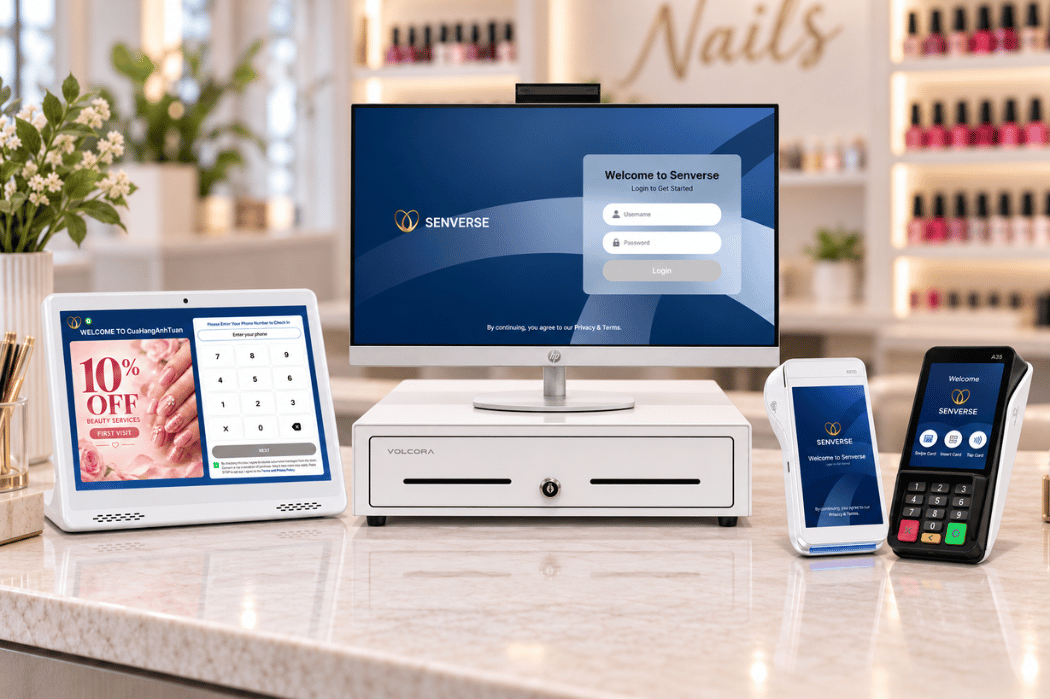
If you are wondering what a nail salon POS system is, it is a combination of software and compatible hardware that helps organize key activities throughout a client’s visit. Unlike a basic payment terminal, a salon POS may support more than accepting payments. Depending on the provider, it can connect appointment scheduling, client check-in, service and technician tracking, checkout, and daily reporting within one workflow.
For a nail salon owner, this connection can make it easier to follow what is happening from the moment a client books or walks in until the visit is completed. Instead of managing each step through separate tools or handwritten records, the salon can keep relevant visit information organized in one system.
What Is a Nail Salon POS System?
POS stands for Point of Sale, the point where a salon records a service or product sale and completes a client’s transaction. In a nail salon, however, a POS system can support more than the final payment.
A nail salon POS combines checkout functions with software tools that may help organize appointments, client visits, services, technicians, transactions, and business records. This allows information from different stages of a visit to remain connected instead of being managed through separate notebooks, spreadsheets, or devices.
The exact capabilities vary by provider, software plan, hardware setup, and payment arrangement. Salon owners should therefore review what is included before choosing a system. If you want to see how these tools can fit together, explore a POS system designed for nail salon operations.
POS Software, POS Hardware, and Payment Terminals
Although these terms are sometimes used interchangeably, they describe different parts of a POS setup:
| Component | Primary Role |
|---|---|
| POS software | Organizes workflows, transactions, and relevant salon data. |
| POS hardware | Provides the physical equipment used to access or operate the software. |
| Payment terminal | Focuses on accepting and processing client payments. |
These components may work together, but they are not the same. For example, a payment terminal can complete a card transaction, while POS software may connect that transaction to the client’s services or visit record. The equipment and functions included will depend on the provider and the salon’s selected setup.
How Does a Nail Salon POS System Work?
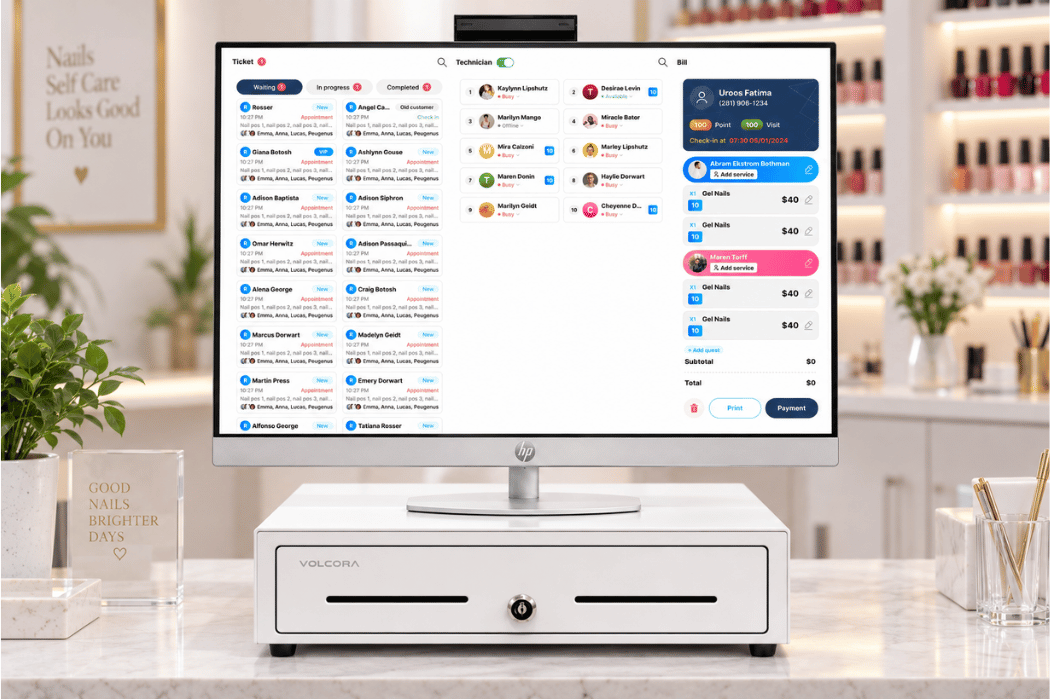
A nail salon POS system can connect the main stages of a client’s visit within one workflow. Although the exact process varies by provider and salon setup, a typical visit may follow these steps:
- Appointment or walk-in: The client books in advance or arrives without an appointment. The front desk reviews the schedule or adds the walk-in to the appropriate queue.
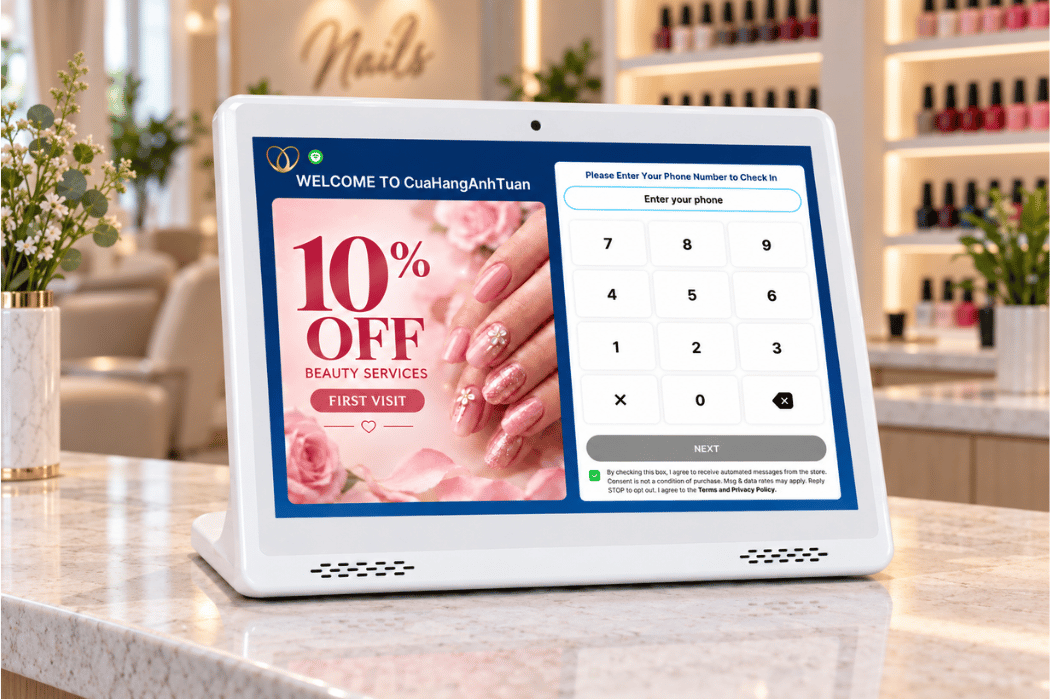
- Client check-in: When the client arrives, the front desk updates the visit status so the salon team can see who is waiting or ready for service.
- Service and technician assignment: The selected service and available technician are connected to the visit. Depending on the system, the salon may also update the technician or add services during the appointment.
- Visit updates: As the appointment progresses, additional services, products, or visit notes can be added to keep the client’s record current.
- Checkout and payment: The front desk reviews the completed services with the client, confirms the total, and processes payment through the supported checkout method.
- Daily reporting: After the transaction, recorded sales and service information can appear in the salon’s reports for review.
By connecting these stages, the POS can help the front desk avoid entering the same information into multiple tools. However, workflows and available functions differ among providers, so salon owners should confirm how a system handles each step before adopting it.
Common Features of a Nail Salon POS System
Nail salon POS system features vary by provider, plan, and salon setup. Some platforms focus mainly on checkout, while others include tools for managing more stages of the client visit. Common functions may include the following.
Appointment and Check-In Management
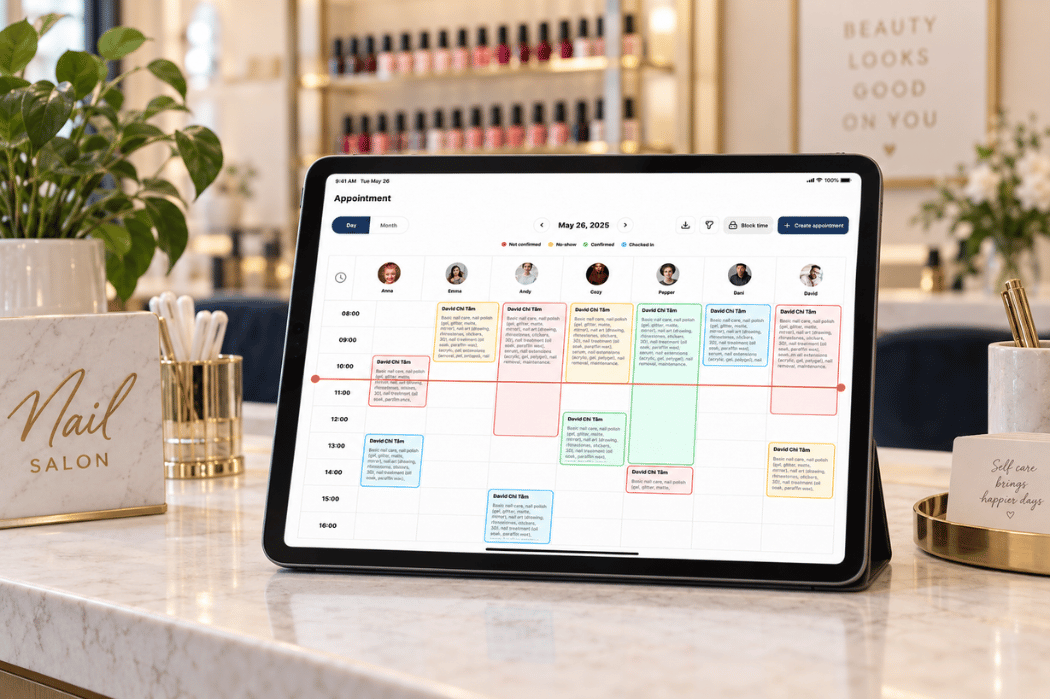
Appointment and check-in tools help the front desk organize scheduled clients and walk-ins in one place. Common tasks supported by these tools include:
- Review upcoming appointments
- Add or update client bookings
- Check clients in when they arrive
- Track who is waiting or ready for service
- Organize walk-ins alongside scheduled visits
These tools can give the salon team a clearer view of client activity during busy hours.
Service and Technician Management
Service and technician management connects each visit with the requested services and the team member providing them. Common functions include:
- Assigning a technician to a client
- Adding or updating services during the visit
- Recording who completed each service
- Keeping the client’s ticket current before checkout
The exact assignment and tracking process depends on how the salon operates and how the POS is configured.
Checkout and Payment
At checkout, the system brings recorded services together so the front desk can review the visit before completing the transaction. Checkout tools commonly support the following tasks:
- Confirm completed services
- Review the client’s total
- Add supported products or adjustments
- Accept available payment methods
- Record the completed transaction
Payment processing arrangements, supported methods, and fees can differ from one provider to another.
Client Records and Reporting
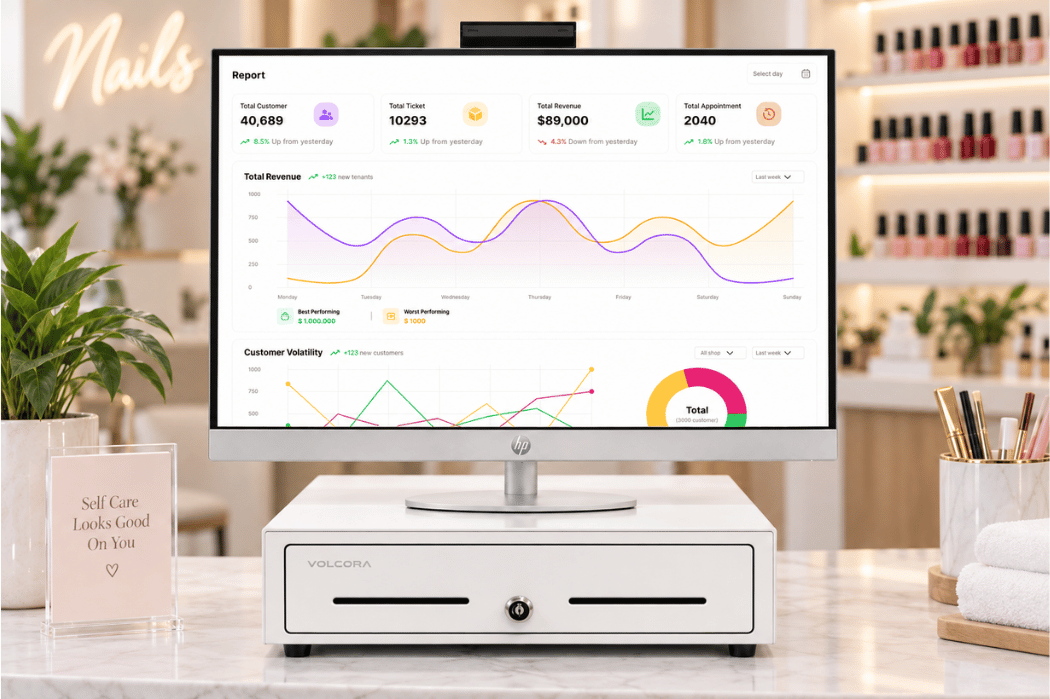
Client records and reporting tools organize information from completed visits for later review. Depending on the available reporting features, owners can review:
- Client contact or visit details
- Completed services
- Sales and transaction activity
- Technician or service activity
- Daily or date-range reports
Report content reflects the salon’s software plan, enabled features, and recorded data. Owners should confirm which records and reports are included before selecting a system.
How Nail Salons Use a POS System Every Day
The value of a nail salon POS becomes easier to understand when it is viewed as part of a real working day. Instead of treating appointments, walk-ins, services, and checkout as separate activities, a POS can help the front desk keep each client’s visit organized as it moves through the salon.
Example: Managing an Appointment and a Walk-In
Consider a common front-desk situation: a scheduled client arrives while a walk-in is waiting for service. The team needs to confirm the appointment, record the services each client requests, identify an appropriate technician, and keep both visits moving toward checkout.
In a connected POS workflow, the front desk can review the appointment, check in the scheduled client, and add the walk-in to the salon’s waiting process. Each visit can then be connected with the requested services and assigned technician.
If the client adds or changes a service during the appointment, the team can update the visit before checkout. Once the services are completed, the front desk reviews the ticket, confirms the total, and records the transaction. Recorded activity can then appear in the salon’s daily reports for review.
This example shows how a POS can help keep information connected throughout a client’s visit. The exact steps and available functions depend on the provider and the salon’s configuration.
A Typical Daily POS Workflow
| Time of Day | Salon Task | How a POS Supports the Task |
|---|---|---|
| Before opening | Review appointments | Display the day’s scheduled visits |
| Client arrival | Check in the client | Update the visit or waiting status |
| During the visit | Track services | Keep the client’s ticket current |
| Checkout | Confirm services and payment | Complete and record the transaction |
| End of day | Review salon activity | Summarize the day’s recorded activity |
The exact steps will differ among salons and POS providers. Owners should confirm whether a system supports their existing appointment, walk-in, technician, checkout, and reporting workflows before deciding how it should be used in daily operations.
Nail Salon POS System vs. a Basic Payment Terminal
A nail salon POS system and a basic payment terminal may both be involved at checkout, but they serve different purposes. A payment terminal primarily accepts and processes payments. A salon POS can have a broader role by connecting checkout with other parts of the client visit and daily salon operations.
| Capability | Nail Salon POS System | Basic Payment Terminal |
|---|---|---|
| Accept payments | May support or connect with payment processing | Primary purpose |
| Manage appointments | May be included | Usually not included |
| Connect services to visits | May link services with client tickets | Usually not included |
| Support salon workflows | Can support broader daily operations | Focuses mainly on transactions |
| Provide operational reports | May include service, sales, or activity reports | Primarily provides payment records |
For example, a payment terminal can complete a card transaction without recording which nail services were provided or which technician completed them. A salon POS can connect those details to the visit when the required features are enabled.
Capabilities vary by provider, software plan, hardware setup, and payment arrangement. Salon owners should confirm what each system includes instead of assuming that the POS software and payment terminal provide the same functions.
What Should You Do Next?
A nail salon POS system can help connect appointments, check-in, service tracking, checkout, and reporting across the client journey. The right setup, however, should reflect how your salon actually operates rather than simply offering the longest feature list.
Start by writing down the problems your front desk handles most often. These may include organizing appointments and walk-ins, tracking visit status, updating services, confirming completed work, or reviewing activity at the end of the day. This gives you a practical starting point for understanding what your salon needs from a POS system.
Explore the Senverse POS System to learn about its available tools and determine how they fit your salon’s daily operations. Book a demo to see how Senverse can fit into your salon’s daily workflow.